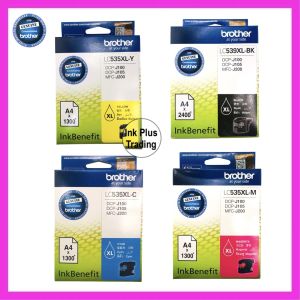
Original Brother Ink Cartridge for DCP-J100/DCP-J105/MFC-J200 (LC535XL Color/LC539xl - Bk)
Original Brother Ink Cartridge for DCP-J100/DCP-J105/MFC-J200 (LC535XL Color/LC539xl - Bk)
What Are Original Brother Ink Cartridges?
Original Brother ink cartridges, such as the LC535XL color cartridge and LC539xl black ink cartridge, are specially designed to work seamlessly with Brother printers like the DCP-J100, DCP-J105, and MFC-J200. These cartridges provide high-quality printing results and ensure optimal performance from your printer.
Understanding the DCP-J100 & DCP-J105 Models
The DCP-J100 and DCP-J105 models are compact, multifunctional printers designed for home and small office use. They offer a range of features, including printing, scanning, copying, and faxing capabilities. Both models support the LC535XL color and LC539xl black ink cartridges, providing excellent print quality and reliability.
Exploring the MFC-J200 Printer
The MFC-J200 printer is another compact, multifunctional printer designed for home and small office environments. It offers printing, scanning, and copying capabilities, making it a versatile choice for various tasks. This printer is compatible with the LC535XL color and LC539xl black ink cartridges, ensuring high-quality prints and long-lasting performance.
How to Choose the Right Brother Ink Cartridge
Selecting the appropriate Brother ink cartridge is crucial for achieving optimal print quality and performance. Here are some factors to consider when choosing the right ink cartridge:
Compatible Ink Cartridge Options for MFC-J200
The MFC-J200 printer supports the LC535XL color and LC539xl black ink cartridges. These original Brother ink cartridges are specifically designed to work with this printer model, providing reliable and consistent print results.
Benefits of Using Original Brother Ink Cartridges
Using original Brother ink cartridges offers several advantages, including:
- High-quality print results
- Consistent color accuracy
- Reduced risk of clogs or leaks
- Extended printer lifespan
Installing & Replacing Brother Ink Cartridges
Proper installation and replacement of Brother ink cartridges are essential for maintaining optimal printer performance. Follow these step-by-step guides for installing and replacing ink cartridges in the DCP-J100/DCP-J105 and MFC-J200 printers:
Step-by-Step Guide for DCP-J100 & DCP-J105 Printers
- Turn on the printer and open the front cover.
- Locate the empty ink cartridge slot.
- Remove the new ink cartridge from its packaging.
- Insert the new ink cartridge into the empty slot, ensuring it clicks into place.
- Close the front cover and allow the printer to initialize the new ink cartridge.
Instructions for MFC-J200 Printer
- Turn on the printer and open the front cover.
- Press the 'Ink' button on the control panel to start the ink installation process.
- Remove the new ink cartridge from its packaging.
- Insert the new ink cartridge into the designated slot, ensuring it clicks into place.
- Close the front cover and allow the printer to initialize the new ink cartridge.
Troubleshooting Common Issues
Encountering issues with your Brother ink cartridges can be frustrating, but most problems can be resolved with some simple troubleshooting steps:
Resolving Ink Cartridge Errors
If you experience ink cartridge errors, try the following solutions:
- Ensure the ink cartridges are properly installed and clicked into place.
- Check that the ink cartridges are not expired or damaged.
- Follow the printer's instructions for cleaning the ink cartridge slots.
Maintaining Optimal Printer Performance
To keep your Brother printer running smoothly, follow these maintenance tips:
- Regularly clean the printer's exterior and interior components.
- Replace ink cartridges before they run out completely.
- Keep the printer software and firmware up-to-date.
- Consult Brother's support resources for troubleshooting and maintenance guidance.

Ink Plus Trading
Review
You May Also Like
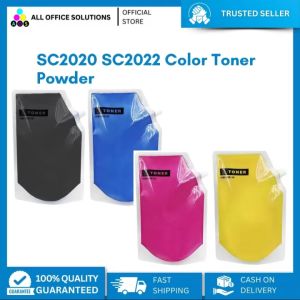
AOS Premium Compatible Fuji Xerox Docucenter SC2020 SC2022 Color Toner Powder
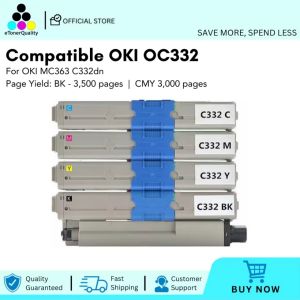
ETQ Compatible Oki C332 OC332 Toner Cartridge for OKI MC363 C332dn Color Printer
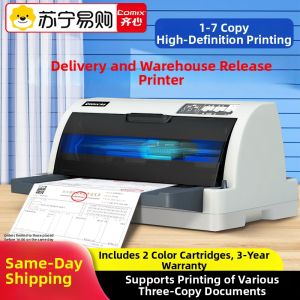
Comix | New Comix Pin-Type Printer Automatic Manual Integrated Delivery Note Out-Of-Warehouse Note Receipt Small Flat Push Pin Hole Printer Special Machine Receipt Triple Printer USB Interface
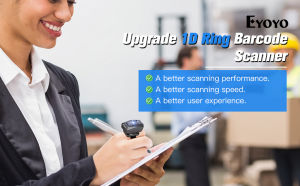
Eyoyo 1D Wearable Ring Barcode Scanner Upgrade Portable Mini Finger Bar Code Reader with 2.4GHz Wireless & Bluetooth & USB Wired Connection Fast Scanning for iPhone IPad Android IOS for Warehouse
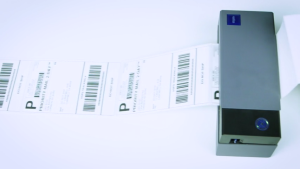
Rollo USB Shipping Label Printer - Commercial Grade Thermal Label Printer for Shipping Packages - High Speed Direct Thermal 4x6 Label Printer
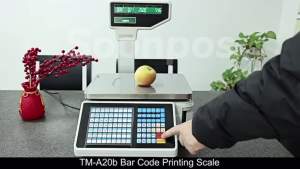
Soonpos Barcode Weighing Scale Cashier Integrated Machine Barcode Label Printing Electronic Scale For Supermarket Fruit Vegetable 0-30KG Weighing Scale Receipt Scale for retail
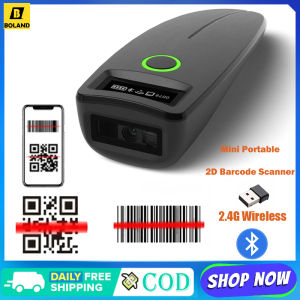
Boland 2D Barcode Scanner Mini Wireless Bluetooth Handheld Portable 1D 2D QR Code Data Matrix PDF417 Reader With Storage Function
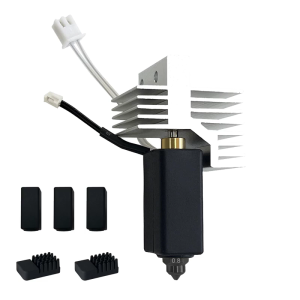
Hotend 3D Printer Nozzle Upgraded Hardened Steel Nozzle Hotend Kit for Centauri Carbon Hotend 3D Printer Extruder Accessories
Shockproof Bag for T50M Label Maker: A Comprehensive Guide
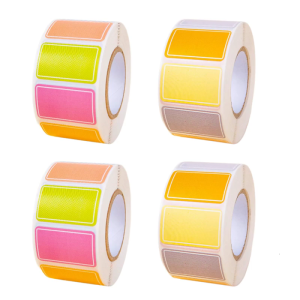
Waterproof Adhesive Labels for Organizing Home Office School Supplies With Tear Proof Designs
Chen Baiwan Manual Adjustable Coding Machine: A Comprehensive Guide