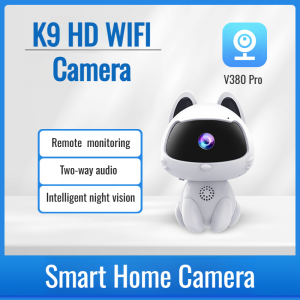
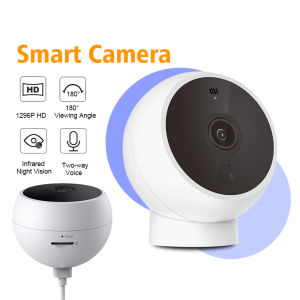
Xiaomi Mi Smart IP Camera SE Version 2K Wireless WIFI Infrared Night Vision Baby Security Monitor Pet Videcam AI Humanoid Detection App Control
Xiaomi Mi Smart IP Camera SE Version 2K Wireless WIFI Infrared Night Vision Baby Security Monitor Pet Videcam AI Humanoid Detection App Control
Introduction to the Xiaomi Mi Smart IP Camera SE
Xiaomi, a leading technology company, has once again revolutionized the world of smart home devices with the release of the Xiaomi Mi Smart IP Camera SE Version 2K Wireless WIFI Infrared Night Vision Baby Security Monitor Pet Videcam AI Humanoid Detection App Control. This cutting-edge device offers a wide range of features and benefits, making it an ideal choice for homeowners looking to enhance their security and monitor their loved ones remotely.
Key Features & Benefits
- 2K Wireless WIFI Camera: Enjoy crystal-clear video quality with this 2K wireless camera, allowing you to keep a close eye on your surroundings.
- Infrared Night Vision Camera: With infrared night vision, you can monitor your home even in low-light conditions, providing peace of mind around the clock.
- AI Humanoid Detection: This advanced feature allows the camera to detect human movement, reducing false alarms and ensuring you're only notified of genuine threats.
- Baby Security Monitor: Keep an eye on your little ones with this reliable baby security monitor, offering real-time video streaming and remote monitoring capabilities.
- Pet Videcam: Monitor your pets' activities and ensure their safety with this pet videcam, which provides clear video footage and remote control options.
Comparison with Competitors
When compared to other smart IP cameras on the market, the Xiaomi Mi Smart IP Camera SE stands out due to its exceptional features, affordability, and user-friendly design. Other popular brands such as Nest, Arlo, and Wyze offer similar products, but none match the comprehensive range of features and benefits provided by the Xiaomi Mi Smart IP Camera SE.
Setting Up Your Xiaomi Mi Smart IP Camera SE
Getting started with your new Xiaomi Mi Smart IP Camera SE is a breeze. Follow these simple steps to set up your device and begin enjoying its many features.
Installation Process
First, find a suitable location for your camera, ideally in a spot that provides a clear view of the area you wish to monitor. Once you've chosen a location, simply attach the camera to the wall using the included mounting bracket.
Connecting to Wi-Fi
Next, connect your camera to your home Wi-Fi network. Open the Xiaomi Home app on your smartphone, and follow the on-screen instructions to pair your camera with your Wi-Fi network.
Configuring the App
Once your camera is connected to Wi-Fi, you can configure the app settings to suit your preferences. Set up notifications, adjust camera settings, and enable features such as AI Humanoid Detection and infrared night vision.
Utilizing Advanced Features
Take advantage of the many advanced features offered by the Xiaomi Mi Smart IP Camera SE to enhance your security and peace of mind.
Infrared Night Vision Camera
Infrared night vision allows you to monitor your home even in low-light conditions. With this feature, you'll never miss a moment, day or night.
AI Humanoid Detection
Reduce false alarms by enabling AI Humanoid Detection. This feature allows the camera to detect human movement, ensuring you're only notified of genuine threats.
Remote Monitoring & Control
Stay connected to your home wherever you are with remote monitoring and control features. Receive real-time video streaming, adjust camera settings, and even control other smart devices in your home.
Maintaining & Troubleshooting Your Xiaomi Mi Smart IP Camera SE
Keep your Xiaomi Mi Smart IP Camera SE in top condition with regular cleaning and maintenance. If you encounter any issues, refer to the troubleshooting guide below.
Cleaning & Maintenance Tips
To keep your camera running smoothly, clean the lens regularly using a soft cloth and avoid exposing it to extreme temperatures or humidity.
Common Issues & Solutions
If you're experiencing issues with your Xiaomi Mi Smart IP Camera SE, consult the troubleshooting guide below for potential solutions:
- Camera not connecting to Wi-Fi: Ensure your camera is within range of your Wi-Fi network and try resetting the device.
- Low video quality: Check your internet connection and adjust camera settings if necessary.
- False alarms: Enable AI Humanoid Detection to reduce false alarms.
By following these simple steps, you'll be able to enjoy the many benefits of the Xiaomi Mi Smart IP Camera SE and enhance your home security effortlessly."

Baby_Mall
Review

You May Also Like

Hikvision CCTV Camera Power Adaptor DC 12V2A Wall Mounted Outdoor Waterproof Power Supply

V380 PRO CCTV Camera Outdoor Dual Lens Wifi Connect Waterproof Smart IP Security Camera Night Vision Two-Way Audio Alarm Surveillance

Portable Handheld Pocket Camera Outdoor Sports Camera Back Clip HD Recorder nfrared Night Vision Camera Vlog Video Anti- Shake 180°Rotatable Lens

aliSanrio Children Camera Video Recorder Game Console Mp3 Hd Kawaii Hello Be Connected Mobile Phone Kuromi Camera Toys Gifts
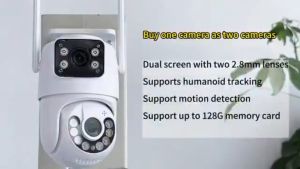
V380 Pro CCTV Camera: A Comprehensive Guide
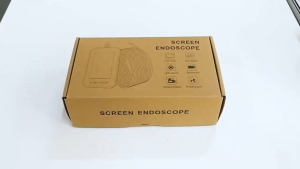
4.3-Inch IPS LCD 1080P Endoscope – 8mm Single Lens 8 LEDs Industrial-Grade Camera for Car Maintenance & Sewer Inspection
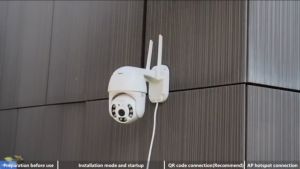
V380 P2 3MP Wifi Security Camera: A Comprehensive Guide
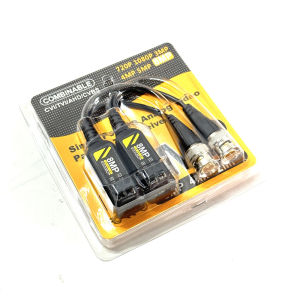
8MP HD Video Balun Connector Transmission BNC Twisted Pair Transmitter Cctv Cable Support 8MP/5MP/1080P AHD/CVI/TVI Camera

4DRC RC Drone F11 PRO with ESC 6K Dual Camera Brushless Motor Professional Aerial Photography Super Long Duration RC Quadcopter Auto Return2000M Long Control DistanceSmart Follow

In Stock 3.9MM Visual Ear Pick Ear Nose Mouth HD Endoscope Illuminated Ear Endoscope Portable Waterproof
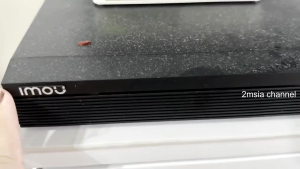
Dahua imou 4/8 CH Wi-Fi Wireless NVR 1080P Decoding Smart H.265 Plug and Play CCTV Camera Repeater