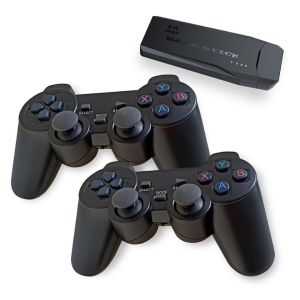
GEN GAME X7 Wireless Bluetooth Gamepad Controller High Precision 3D Rocker with Bracket
GEN GAME X7 Wireless Bluetooth Gamepad Controller High Precision 3D Rocker with Bracket
What is GEN GAME X7 Wireless Bluetooth Gamepad Controller?
The GEN GAME X7 Wireless Bluetooth Gamepad Controller is a high-quality gaming peripheral designed to provide an immersive gaming experience for Android users. It features a high precision 3D rocker controller, a bracket design for secure phone attachment, and compatibility with Android devices. The GEN GAME X7 comes in a set of two controllers, making it perfect for multiplayer gaming sessions with friends.
Key Features
- High precision 3D rocker controller
- Bracket design for secure phone attachment
- Compatible with Android devices
- Set of two controllers included
- Octopus App supported
Compatibility
The GEN GAME X7 Wireless Bluetooth Gamepad Controller is compatible with Android devices. However, it does not support PUBG, ROS, CODM, ML, or Mediatek processors. It is also not compatible with iOS devices.
Supported Apps
The GEN GAME X7 Wireless Bluetooth Gamepad Controller supports the Octopus App, which allows users to customize their gaming experience by adjusting sensitivity, button mapping, and more.
How to Use GEN GAME X7 Gamepad Controllers
Using the GEN GAME X7 Wireless Bluetooth Gamepad Controller is simple and straightforward. Follow these steps to get started:
Setting Up the Gamepad
- Charge the gamepad using the included USB cable.
- Connect the gamepad to your Android device via Bluetooth.
Connecting to Android Devices
- Turn on the gamepad by pressing the power button.
- On your Android device, navigate to Settings > Bluetooth.
- Select the GEN GAME X7 gamepad from the list of available devices.
Using Octopus App
To customize your gaming experience using the Octopus App:
- Download the Octopus App from the Google Play Store.
- Connect the gamepad to your Android device via Bluetooth.
- Launch the Octopus App and select the GEN GAME X7 gamepad.
- Adjust sensitivity, button mapping, and other settings as desired.
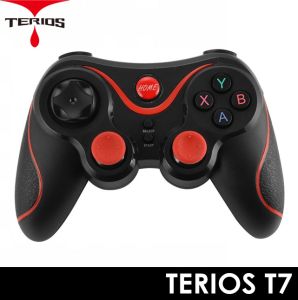
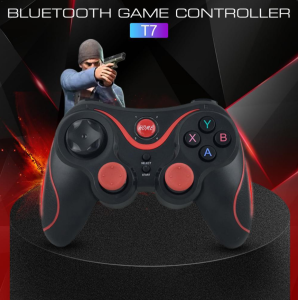
Comparison with Terios T7/X7 Wireless Gamepad
Both the GEN GAME X7 and Terios T7/X7 Wireless Gamepad Controllers share similarities, such as being wireless Bluetooth gamepads with bracket designs for secure phone attachment. However, there are some differences between the two controllers:
Similarities
- Both are wireless Bluetooth gamepads
- Both feature bracket designs for secure phone attachment
- Both support Android devices
Differences
- GEN GAME X7 supports Octopus App customization, while Terios T7/X7 does not
- GEN GAME X7 comes in a set of two controllers, while Terios T7/X7 may come individually or in a set
Which One to Choose?
When deciding between the GEN GAME X7 and Terios T7/X7 Wireless Gamepad Controllers, consider the following factors:
- If you prefer a customizable gaming experience using the Octopus App, choose the GEN GAME X7.
- If you want a set of two controllers for multiplayer gaming sessions, choose the GEN GAME X7.
- If you prefer a more affordable option, consider the Terios T7/X7.

ETTE TRONICS
You May Also Like
Kuromi Pop It Keychain & Sanrio Mini Whack-a-mole: A Fun Game Console for Kids
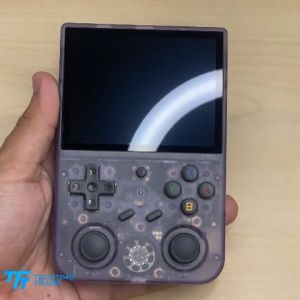
ANBERNIC RG353V | RG353VS Retro Handheld Gaming Console | Dual OS (Android 11/Linux)
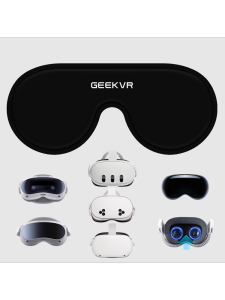
VR Eyewear Protection Cover Compatible with Pico 4/Ultra/Pro Series Quest 2/3/3S And Vision pro Gaming Accessories
400 in 1 Portable Retro Handheld Game Console 3.5In IPS Screen Video Game Consoles Linux System Classic Gaming Emulator
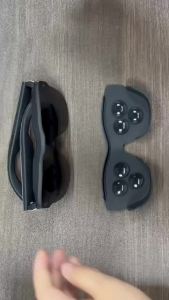
AR Glasses Full Light Blockers Silicone for RayNeo Air3/Air2/Air3s Xreal one/pro/Air2 Air2 Pro AccessoriesUniversal
Portable 3.5-inch Screen G7 Ultra-thin Handheld Game Console 666 In 1 R Nostalgic Student Game Console
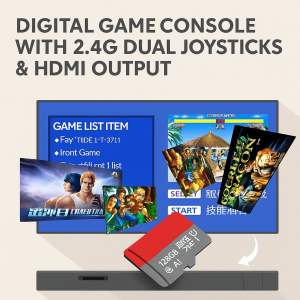
Retro Arcade Game Console Double Handle Mini Game Console HD Wireless Nautical
20000 in 1 Pandoras DX Plus Arcade Classic Games 2 Player Electronic Game Console Gamepad
Nintendo Switch Game Super Mario Odyssey - Lazada
PRELOVED NINTENDO NES DEEP SHREDDIN GAME
2Pack Thumbstick Assist Assistant Ring For Pro Controller Rubber Sponge Auxiliary Ring Analog Stick Aim Cover