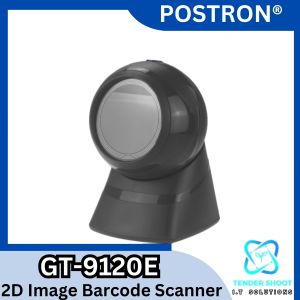
Postron GT-9120E Desktop Barcode Scanner: A Comprehensive Guide
Postron GT-9120E Desktop Barcode Scanner: A Comprehensive Guide
What is Postron GT-9120E Desktop Barcode Scanner?
The Postron GT-9120E Desktop Barcode Scanner is a state-of-the-art USB plug-and-play scanner with automatic sensing scanning capabilities. Designed specifically for POS systems, cash registers, supermarkets, bookstores, retail malls, drugstores, and grocery stores, this omnidirectional hands-free barcode reader offers unparalleled efficiency and accuracy.
Key Features & Benefits
- Automatic Sensing Scanning: The GT-9120E scanner automatically detects barcodes and QR codes, eliminating the need for manual operation.
- Omnidirectional Hands-Free Reader: The device can read barcodes from any angle, providing convenience and speed for operators.
- USB Plug and Play Scanner: Simply plug the scanner into a USB port, and it's ready to use.
- QR Code Screen Scanning: The GT-9120E supports QR code scanning, enabling seamless integration with various applications.
How Does It Work?
The Postron GT-9120E Desktop Barcode Scanner works by emitting a laser beam that scans barcodes and QR codes. The scanner then converts the scanned data into digital information, which is transmitted to the connected POS system, cash register, or other compatible devices.
How to Use Postron GT-9120E Desktop Barcode Scanner
Setting Up the Scanner
To set up the Postron GT-9120E Desktop Barcode Scanner, simply plug the USB cable into the device and connect it to a computer or POS system. The scanner will automatically install the necessary drivers and software, allowing you to start using it immediately.
Connecting to POS Systems
To connect the Postron GT-9120E Desktop Barcode Scanner to a POS system, follow these steps:
- Ensure the scanner is plugged into a USB port on the computer or POS system.
- Open the POS software and navigate to the settings menu.
- Locate the barcode scanner settings and select the Postron GT-9120E Desktop Barcode Scanner as the default device.
- Save the changes and test the connection by scanning a barcode.
Using Automatic Sensing Scanning
To use the automatic sensing scanning feature, simply place the barcode or QR code within the scanning range of the Postron GT-9120E Desktop Barcode Scanner. The device will automatically detect and read the code, transmitting the data to the connected system.
Applications of Postron GT-9120E Desktop Barcode Scanner
POS & Cash Register
The Postron GT-9120E Desktop Barcode Scanner is an ideal choice for POS systems and cash registers, providing accurate and efficient barcode scanning capabilities.
Supermarket & Bookstore
In supermarkets and bookstores, the Postron GT-9120E Desktop Barcode Scanner streamlines inventory management and checkout processes, reducing errors and improving customer satisfaction.
Retail Mall & Drugstore
Retail malls and drugstores can benefit from the Postron GT-9120E Desktop Barcode Scanner by integrating it into their inventory management systems, enabling faster and more accurate product tracking.
Grocery & Other Retail Environments
Grocery stores and other retail environments can leverage the Postron GT-9120E Desktop Barcode Scanner to improve inventory management, streamline checkout processes, and enhance overall efficiency.
Best Practices for Using Postron GT-9120E Desktop Barcode Scanner
Ensuring Optimal Performance
To ensure optimal performance, keep the scanner clean and free from dust and debris. Regularly update the software and drivers to maintain compatibility with the latest systems and applications.
Maintaining the Scanner
To maintain the Postron GT-9120E Desktop Barcode Scanner, clean the lens and housing with a soft, lint-free cloth. Avoid using harsh chemicals or abrasive materials, as they may damage the device.
Troubleshooting Common Issues
If you encounter any issues with the Postron GT-9120E Desktop Barcode Scanner, refer to the user manual or contact Postron customer support for assistance. Common issues may include connectivity problems, scanning errors, or software malfunctions.

Tender Shoot I.T. Solutions
Review

You May Also Like
![[🔥Super cost-effective🔥]【🔥🔥🔥Hot sale & Local stocks & 1~2 days delivery】Eyoyo Mini Finger Wearable 2.4G Wireless 1D 2D Barcode Scanner 3IN1 Via Bluetooth QR Code Scan Use Fixed Head Handsfree Library Inventory Reader Compatible for Pad Phone](https://img.lazcdn.com/g/ff/kf/S5055817167024edeaee28e6b3295f925i.jpg_300x300q80.jpg)
[🔥Super cost-effective🔥]【🔥🔥🔥Hot sale & Local stocks & 1~2 days delivery】Eyoyo Mini Finger Wearable 2.4G Wireless 1D 2D Barcode Scanner 3IN1 Via Bluetooth QR Code Scan Use Fixed Head Handsfree Library Inventory Reader Compatible for Pad Phone
![[Portable Thermal Printer] Portable Thermal Printer with Wireless USB-Powered Mobile Printer with Thermal Printing Paper](https://img.lazcdn.com/g/ff/kf/Sf4fa57c5a96e433f8307dc7648d00760T.jpg_300x300q80.jpg)
[Portable Thermal Printer] Portable Thermal Printer with Wireless USB-Powered Mobile Printer with Thermal Printing Paper
🇵🇭 6 in1 Multifunction Heat Press Machine mini printer for T-Shirt / Mug / Plate / Capprinter for small business Heated Press - Lazada
Suction tools for empty cartridges or refill kit
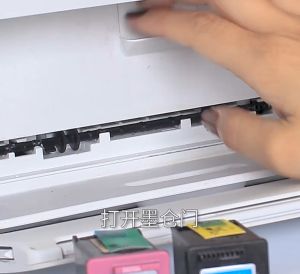
Compatible HP 67 & 67XL Ink Cartridges: A Comprehensive Guide
Ricoh C3003 C3503 C4503 C5503 C6003 Drum Cleaning Scraper Transfer Charging Blade Office Equipment Accessories
OPC Drum DR2355 DR-2355 DR 2355 Compatible for Brother
MX-5500 8-Digit Price Tagger: A Retail Inventory Management Solution
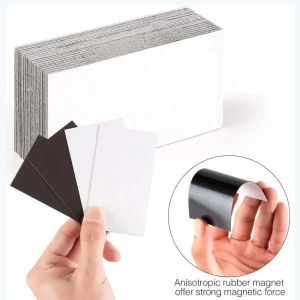
150PCS/box Refrigerator Magnet Card PVC Card Making DIY VIP Cards Magnetic Stripsbarcode IC Interactive Cards Black Cars 86*54mm 250PCS/box PVC Black Card
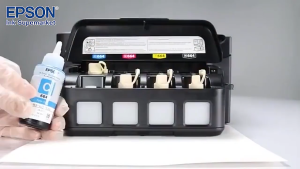
Epson 664 inks 100% Original for L1300 L200 L220 L300 L310 L350 L365 L565 L120 Printer T664 ink
Phomemo A4 Thermal Paper Quick-dry Continuous Thermal Printing Paper Compatible with M08F/M832/M833/M834 MT810 and Other Portable Thermal Printer 8.5\"x11\" Documents Study Notes 2 Rolls