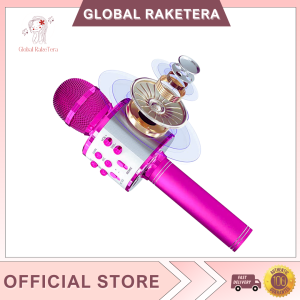
WS-858 - Wireless Bluetooth Microphone & Karaoke Hi-Fi Speaker | Karaoke Hi-Fi Speaker Hand Live Universal High Quality
WS-858 - Wireless Bluetooth Microphone & Karaoke Hi-Fi Speaker | Karaoke Hi-Fi Speaker Hand Live Universal High Quality
Introduction to WS-858
The WS-858 is a versatile wireless Bluetooth microphone and karaoke hi-fi speaker designed for both professional and home use. It offers an unparalleled audio experience, providing crystal-clear sound quality and a wide range of features that cater to different users' needs.
Key Features of WS-858
- Wireless Connectivity: Connect your device wirelessly via Bluetooth for seamless audio streaming.
- High-Quality Audio: Enjoy rich, full-bodied sound with excellent clarity and low distortion.
- Karaoke Mode: Dedicated karaoke mode with built-in effects and adjustable volume levels.
- Battery Life: Long-lasting battery life ensures hours of uninterrupted use.
- Compact Design: Lightweight and portable design makes it easy to carry around.
Benefits of Using WS-858
Using the WS-858 wireless Bluetooth microphone and karaoke hi-fi speaker offers several benefits:
- Convenience: No more tangled wires; enjoy wireless connectivity with ease.
- Sound Quality: Superior audio quality ensures a more immersive experience.
- Versatility: Suitable for various applications, including live performances, karaoke sessions, and home entertainment.
- Durability: Built to last with high-quality materials and robust construction.
How to Use WS-858
Pairing WS-858 with Bluetooth Devices
Pairing the WS-858 with your Bluetooth device is simple:
- Turn on your device's Bluetooth function.
- Press and hold the power button on the WS-858 until the LED light starts flashing.
- Select the WS-858 from the list of available devices on your device.
- Once connected, enjoy seamless audio streaming.
Connecting WS-858 to Karaoke Systems
Connecting the WS-858 to your karaoke system is easy:
- Turn on your karaoke system and ensure it is in karaoke mode.
- Press and hold the power button on the WS-858 until the LED light starts flashing.
- Connect the WS-858 to the karaoke system using the included audio cable.
- Adjust the volume levels and enjoy karaoke fun.
Adjusting Sound Settings on WS-858
Adjusting sound settings on the WS-858 is straightforward:
- Press the mode button to cycle through the available sound modes.
- Use the volume control buttons to adjust the volume levels.
- Customize the audio settings to your preference.
WS-858 vs Other Wireless Microphones
Comparison with Handheld Live Speaker
Compared to handheld live speakers, the WS-858 offers superior audio quality and versatility. While handheld live speakers are designed for live performances, the WS-858 can be used for various applications, including karaoke sessions and home entertainment.
Comparison with Universal High-Quality Microphone
Compared to universal high-quality microphones, the WS-858 offers wireless connectivity and dedicated karaoke mode. While universal high-quality microphones provide excellent sound quality, the WS-858 offers a more versatile and convenient experience.
Comparison with Karaoke Speaker with Bluetooth
Compared to karaoke speakers with Bluetooth, the WS-858 offers superior audio quality and adjustable sound settings. While karaoke speakers with Bluetooth provide a good karaoke experience, the WS-858 offers a more immersive and customizable experience.
WS-858 Maintenance and Troubleshooting
Cleaning and Caring for WS-858
To maintain the WS-858, follow these steps:
- Clean the microphone and speaker regularly using a soft, dry cloth.
- Store the WS-858 in a cool, dry place when not in use.
- Avoid exposing the WS-858 to extreme temperatures or humidity.
Common Issues and Solutions
Some common issues and solutions for the WS-858 include:
- Issue: Bluetooth connection drops frequently. Solution: Restart both the WS-858 and your Bluetooth device.
- Issue: Audio quality is poor. Solution: Adjust the sound settings or clean the microphone and speaker.
- Issue: Battery life is short. Solution: Charge the WS-858 fully before use.
Contacting Customer Support
For further assistance, contact our customer support team at [insert contact information here]. Our friendly and knowledgeable staff will be happy to assist you with any questions or concerns you may have.

Global Raketera
Review
You May Also Like
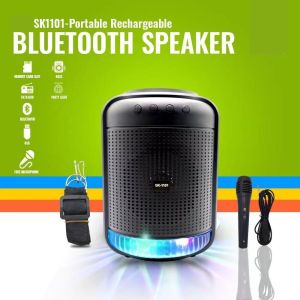
PHK SK-1101 Original Wireless Round Bluetooth Karaoke Speaker Strap Super Bass Portable Bluetooth Speaker With Microphone
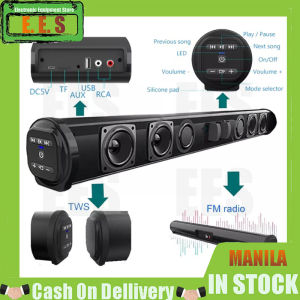
EES Wireless Bluetooth Soundbar: Super Power Sound & Surround Stereo
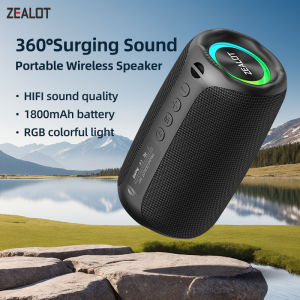
ZEALOT-M2 Speaker Portable Bluetooth Speaker with Enhanced Bass Bluetooth 5.3 10H Playtime for Camping Hiking
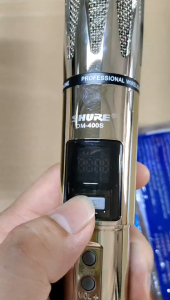
HUAYU SHORE DM-400S: A Comprehensive Guide to the Stainless Steel Wireless Microphone
Polk Audio Signature Elite ES8 8\" 100W Subwoofer - Polk ES8 sub
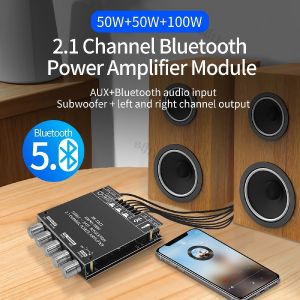
ZK-TB21 Portable Bluetooth 2.1 Channel Amplifier 160W*2 + 220W Subwoofer Module – Para sa Audio ng Kotse at Bahay
5W Walkie Talkies Radio Long Range for Adults 16 Channel Walky Talky Rechargeable Handheld Two Way 400-520MHZ
![[KYLI] VM-1228 DYANMIC WIRED MICROPHONE/LEGENDARY VOCAL MICROPHONE/PROFESSIONAL CONDENSER MICROPHONE.](https://img.lazcdn.com/g/ff/kf/Sba12bb014b1343138292dabd7272436aI.jpg_300x300q80.jpg)
[KYLI] VM-1228 DYANMIC WIRED MICROPHONE/LEGENDARY VOCAL MICROPHONE/PROFESSIONAL CONDENSER MICROPHONE.

Jeep SC009 Wearable Bluetooth Speaker Clip-On Wireless Portable Speaker Built-in Mics for Hands-Free Music and Calls IPX7 Waterproof Outdoor Mini Speaker for Working Hiking Running 12H Playtime
S9 3D Stereo Surround Sound 3.5mm Audio Plug Wired Earphone
J16 Wireless Bluetooth Earbuds Noise Cancelling Low Latency Sports Earphones with Mic Android iOS