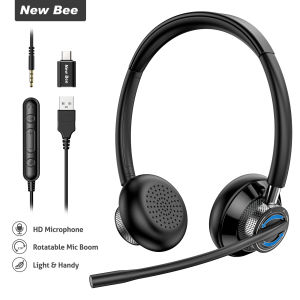
New Bee H361 Stereo USB Headset: Business Headphones with Mic Mute & Noise Cancelling
New Bee H361 Stereo USB Headset: Business Headphones with Mic Mute & Noise Cancelling
Introduction to New Bee H361 USB Headset
The New Bee H361 Stereo USB Headset is a top-of-the-line wired headset specifically designed for call centers and business environments. It comes equipped with a rotatable microphone, mic mute functionality, and noise-cancelling technology, making it the perfect choice for professionals who require crystal-clear audio during calls.
Overview of H361 USB Headset
The New Bee H361 USB Headset is a high-quality wired headset that connects seamlessly to your PC via a USB port. It features a comfortable, lightweight design, making it easy to wear for extended periods. The headset comes with a USB in-line control cable and a user manual, ensuring a smooth setup process.
Key Features of H361 USB Headset
- Stereo Headset for Call Center: The New Bee H361 USB Headset offers stereo sound, providing an immersive audio experience during calls.
- USB Headset for PC: Connect the headset to your PC via a USB port for easy installation and seamless operation.
- Noise Cancelling Headphones: The noise-cancelling technology ensures that you can hear every word clearly, even in noisy environments.
- Wired Headset with Rotatable Microphone: The rotatable microphone allows you to adjust the microphone position for optimal sound quality.
- Business Headphones with Mic Mute: The mic mute feature enables you to temporarily disable the microphone during calls, ensuring privacy and preventing unwanted noise.
Choosing the Right Headset for Your Call Center
When selecting a headset for your call center, it's essential to consider the specific needs of your business. The New Bee H361 USB Headset offers several features that make it an excellent choice for call centers and business environments.
Stereo Headset for Call Center
The stereo sound provided by the New Bee H361 USB Headset creates an immersive audio experience during calls, allowing your team to hear every word clearly. This feature is particularly useful for call centers that handle multiple languages or require precise communication.
USB Headset for PC
Connecting the New Bee H361 USB Headset to your PC via a USB port ensures easy installation and seamless operation. The headset is compatible with a wide range of operating systems, making it a versatile choice for any business environment.
Noise Cancelling Headphones for Business
The noise-cancelling technology in the New Bee H361 USB Headset ensures that your team can hear every word clearly, even in noisy environments. This feature is particularly useful for call centers located in busy office spaces or open-plan environments.
Enhancing Productivity with Wired Headsets
Wired headsets offer several advantages over wireless headsets, including improved audio quality, reduced interference, and increased battery life. The New Bee H361 USB Headset takes advantage of these benefits to provide a superior audio experience for your team.
Wired Headset with Rotatable Microphone
The rotatable microphone in the New Bee H361 USB Headset allows you to adjust the microphone position for optimal sound quality. This feature is particularly useful for call centers that require precise audio control during calls.
Business Headphones with Mic Mute
The mic mute feature in the New Bee H361 USB Headset enables you to temporarily disable the microphone during calls, ensuring privacy and preventing unwanted noise. This feature is particularly useful for call centers that handle sensitive information or require temporary breaks during calls.
Installation and Setup
Setting up the New Bee H361 USB Headset is simple and straightforward. Follow these steps to ensure a smooth installation process.
How to Install H361 USB Headset
- Connect the USB in-line control cable to the headset.
- Plug the USB cable into an available USB port on your PC.
- Wait for the system to detect the headset and install the necessary drivers.
Connecting H361 USB Headset to Your PC
The New Bee H361 USB Headset connects to your PC via a USB port. Simply plug the USB cable into an available USB port on your PC to begin using the headset.
Configuring H361 USB Headset Settings
Once the New Bee H361 USB Headset is connected to your PC, you can configure the settings to suit your preferences. Adjust the volume levels, microphone sensitivity, and other settings to ensure optimal audio quality during calls.
Troubleshooting Common Issues
If you encounter any issues with the New Bee H361 USB Headset, follow these troubleshooting steps to resolve the problem.
How to Fix Audio Problems with H361 USB Headset
If you're experiencing audio problems with the New Bee H361 USB Headset, try the following steps:
- Check that the headset is properly connected to your PC.
- Adjust the volume levels and microphone sensitivity settings.
- Restart your PC and reconnect the headset.
Resolving Connectivity Issues with H361 USB Headset
If you're experiencing connectivity issues with the New Bee H361 USB Headset, try the following steps:
- Check that the USB cable is properly connected to both the headset and your PC.
- Restart your PC and reconnect the headset.
- Update the drivers for the headset.
Troubleshooting Microphone Issues with H361 USB Headset
If you're experiencing microphone issues with the New Bee H361 USB Headset, try the following steps:
- Adjust the microphone sensitivity settings.
- Ensure that the mic mute feature is disabled.
- Restart your PC and reconnect the headset.
In conclusion, the New Bee H361 Stereo USB Headset is an excellent choice for call centers and business environments. Its stereo sound, noise-cancelling technology, and rotatable microphone make it a versatile and reliable headset for professionals who require clear audio during calls." }

New Bee Audio Store
You May Also Like
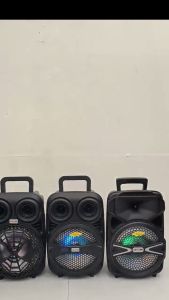
Lexing Portable Speaker 8\" with Wired Microphone: Features & Benefits
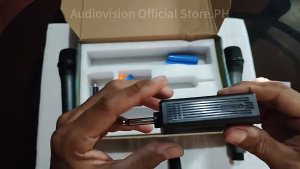
Professional UHF Wireless Rechargeable Microphone Dual Handheld Mic with ReceiverDynamic Microphone Plug and Play 6.5MM 50M na distansya ng pagtanggap 700mhz for Singing Karaoke
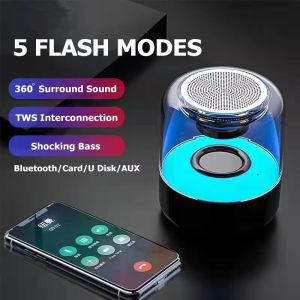
✅100% Original Jcam Inpods YD-66 Bluetooth Speaker Portable MINI Speaker with HiFi Sound & Bass

KZ EDX PRO Heavy Bass Earphone: Mic Control & Sport Game Performance
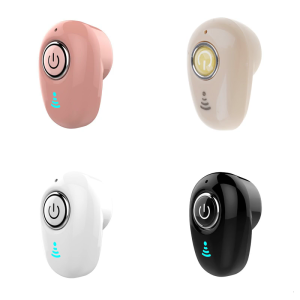
Wireless Bluetooth-compatible Earphone Semi In Ear Earbud Sweatproof & Waterproof Sports Earbud Support Fast Charging
Speakers Bluetooth Bluetooth Speaker Party Box GTS-1360 3 inch Super Bass Portable Splash Proof Wireless Bluetooth Speaker with TF Card/USB Player
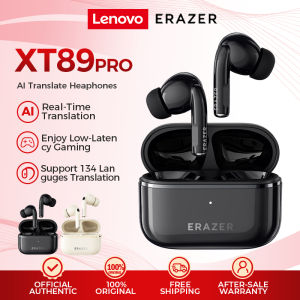
Lenovo Erazer XT89PRO AI Translator Earbud Smart Real-Time Translation Bluetooth Earphone Tws Game Earphones Noise Canceling Earbuds Wireless Earphone HiFi Music HD Call With Microphone Bluetooth 5.4 Sports Headset Waterproof
![[minnan] Cellphone Smartphone Portable Mini Omni-Directional Mic Microphone](https://img.lazcdn.com/g/p/5e38284b7369e32caf8e3d24219e3795.jpg_300x300q80.jpg)
[minnan] Cellphone Smartphone Portable Mini Omni-Directional Mic Microphone

JBL Tune 230NC TWS True wireless noise cancelling earbuds Bluetooth Smart Sport Earbuds Waterproof SeaSpark
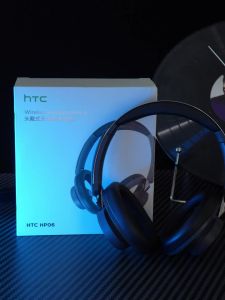
HTC HP06 Open Wireless Earphones Bluetooth V6.0 Airy Foldable HiFi Sound Adjustable Noise Low Latency Microphone Suitable for iPhone Samsong PC Laptop TV Ultra Light
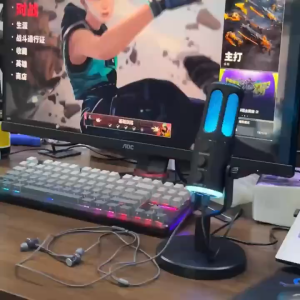
ALSTON M61 USB noise cancelling gaming condenser microphone with intelligent noise-cancelling for streaming media gaming recording