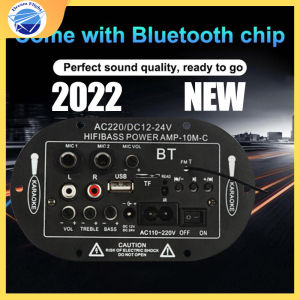
Manila Spot Fast Delivery: 2024 New Hot Sale AC 220V 12v 24v Digital Bluetooth Stereo Amplifier Board
Manila Spot Fast Delivery: 2024 New Hot Sale AC 220V 12v 24v Digital Bluetooth Stereo Amplifier Board
What is the AC 220V 12v 24v Digital Bluetooth Stereo Amplifier Board?
The AC 220V 12v 24v Digital Bluetooth Stereo Amplifier Board is a high-quality audio amplifier designed specifically for karaoke enthusiasts, home theater systems, and portable speakers. This versatile amplifier board supports multiple power input options, including AC 220V, 12V, and 24V, making it compatible with a wide range of audio devices. The amplifier board features Bluetooth connectivity, allowing you to stream music directly from your smartphone or tablet, while also supporting USB TF card readers for offline playback.
Key Features & Components
- Dual Microphone Karaoke Support: The amplifier board comes equipped with dual microphone inputs, enabling you to enjoy karaoke with friends and family.
- Remote Control: A remote control is included in the package, providing easy access to essential functions such as volume control, source selection, and more.
- USB TF Card Reader: The amplifier board includes a built-in USB TF card reader, allowing you to play music files stored on external storage devices.
- Bluetooth Connectivity: Connect your smartphone, tablet, or other Bluetooth-enabled devices to the amplifier board and stream music wirelessly.
- Subwoofer Hifi Stereo Audio: The amplifier board supports subwoofers, delivering powerful bass and clear audio for an immersive listening experience.
How to Install the Amplifier Board
To install the AC 220V 12v 24v Digital Bluetooth Stereo Amplifier Board, follow these steps:
- Unpack the amplifier board and all accompanying components, including the remote control, audio cables, and DC power supply cable.
- Connect the DC power supply cable to the amplifier board, ensuring that the polarity is correct.
- Connect the audio cables to the appropriate input/output ports on the amplifier board.
- Power on the amplifier board and test its functionality by connecting a speaker or other audio device.
How to Connect the Remote Control & Dual Microphone Karaoke Support
Setting Up the Remote Control
To set up the remote control, follow these steps:
- Power on the amplifier board.
- Press the "Source" button on the remote control until the desired input source is selected.
- Adjust the volume using the "Volume Up" and "Volume Down" buttons on the remote control.
Connecting the Dual Microphones
To connect the dual microphones, follow these steps:
- Connect the microphone cables to the "Mic 1" and "Mic 2" input ports on the amplifier board.
- Adjust the microphone levels using the "Mic Level" knobs on the amplifier board.
How to Connect the Amplifier Board to Your Speakers & Audio System
Connecting the Amplifier Board to Your Speakers
To connect the amplifier board to your speakers, follow these steps:
- Connect the speaker cables to the appropriate output ports on the amplifier board.
- Ensure that the speaker cables are securely connected to avoid any potential issues.
Connecting the Amplifier Board to Your Audio System
To connect the amplifier board to your audio system, follow these steps:
- Connect the audio cables to the appropriate input/output ports on the amplifier board and your audio system.
- Adjust the audio settings on both the amplifier board and your audio system to achieve optimal sound quality.
How to Use the USB TF Card Reader & Bluetooth Connectivity
Using the USB TF Card Reader
To use the USB TF card reader, follow these steps:
- Insert a USB TF card containing music files into the card reader on the amplifier board.
- Press the "Source" button on the remote control until the USB TF card is selected as the input source.
- Use the remote control to navigate through the music files and play your favorite songs.
Connecting via Bluetooth
To connect via Bluetooth, follow these steps:
- Power on the amplifier board and press the "Bluetooth" button on the remote control.
- On your smartphone or tablet, go to the Bluetooth settings and search for available devices.
- Select the amplifier board from the list of available devices and follow the prompts to complete the connection process.
- Once connected, stream music directly from your smartphone or tablet to the amplifier board.

Dream_Flight
You May Also Like
Baseus Bowie E19 Wireless IPX5 Waterproof Bluetooth Earphone With 2 ENC Mics Earbuds Strong Bass Earbuds Wireless Sport Smart Mini Earpbuds
Hileo Hi85 Ear Clip Bluetooth Earphones - Dual Device Pairing Physical Buttons Waterproof AI Noise Cancellation Open-Transparency Dual Modes for Gaming and Music
2PCS Encoders & Joystick Kit Encoders Board 10 Button Joystick set Quick Installation for PC Game Projects
GDLITE KUKU AM-316BT Bluetooth Rechargeable AM/FM/SW Radio with USB/SD/TF MP3 Player and LED Flashlight
3000 Watts LX PRO Digital Karaoke Stereo Amplifier AV 903 PLUS
Newman Wireless Bluetooth Ceiling Mounted Speaker Broadcast Shop Embedded Horn 310 Metal Shell Virtual Surround Sound Effect
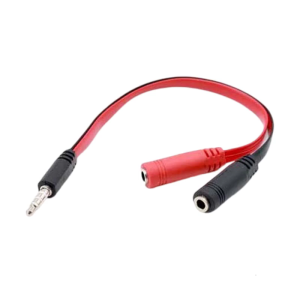
3.5MM Auditory Y Splitter Cable 20CM 1 Male/Female to 2 Male/Female Splitter for Headphones and Microphone Flat Wire
Denon Home 150 - Wireless powered speaker with HEOS Built-in Bluetooth and Apple AirPlay 2
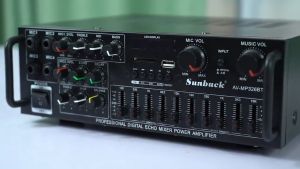
Original Sunbuck 220V 2000W 326BT Home Stereo Audio Amplifier Bluetooth 2CH EQ Wireless Stereo Audio Power Amplifier With Remote Control Controller USB SD Card FM Radio For Android IOS Table Laptop Smart Device
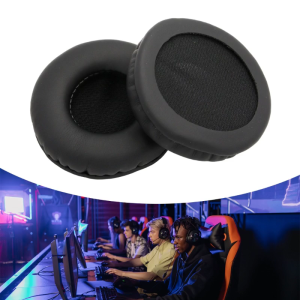
1Pair Earpads Ear Pads Cushion Earmuffs For MDR-NC6 MDR-PQ2 K518 K518DJ K518LE Headphones Headset Accessories
New Arrival DA-128 Wireless Earphone V5.3 TWS Mini Bluetooth Headset 3D Stereo Sound With Sensor Touch