Vktech 1 to 10 4 Pin PWM Cooler Fan Hub Splitter Extension PC Speed Control Board
Vktech 1 to 10 4 Pin PWM Cooler Fan Hub Splitter Extension PC Speed Control Board
Introduction to Vktech 4 Pin PWM Cooler Fan Hub
The Vktech 4 Pin PWM Cooler Fan Hub is a versatile solution for enhancing cooling performance in your computer system. This hub allows you to connect up to ten fans to a single motherboard header, offering better control and improved airflow throughout your PC.
What is a 4 Pin PWM Cooler Fan Hub?
A 4 Pin PWM Cooler Fan Hub is a device that enables multiple fans to be connected to a single motherboard header. It provides precise control over fan speeds through Pulse Width Modulation (PWM), ensuring optimal cooling performance while minimizing noise levels.
Key Features of Vktech's 4 Pin PWM Cooler Fan Hub
- Connects up to ten fans to a single motherboard header
- Supports 4-pin PWM fans for precise speed control
- Compact design for easy installation
- Compatible with most motherboards and operating systems
How to Use Vktech 4 Pin PWM Cooler Fan Hub
Using the Vktech 4 Pin PWM Cooler Fan Hub is straightforward. Here's a step-by-step guide to get started:
Connecting the Splitter Extension to Your PC
- Power off your computer and unplug it from the power source.
- Open the case and locate the motherboard fan header.
- Connect the splitter extension cable to the motherboard fan header.
- Connect each fan to the corresponding ports on the splitter extension.
Setting Up Speed Control Board for Optimal Performance
- Install the speed control board software on your computer.
- Launch the software and configure the desired fan speed settings.
- Save the settings and restart your computer.
Benefits of Using Vktech 4 Pin PWM Cooler Fan Hub
The Vktech 4 Pin PWM Cooler Fan Hub offers numerous benefits for PC enthusiasts and professionals alike.
Enhanced Cooling for Electronics
By connecting multiple fans to a single motherboard header, the Vktech hub provides improved airflow throughout your PC, ensuring optimal cooling performance for your components.
Easy Fan Management with Speed Control Board
With the built-in speed control board, you can easily manage fan speeds and customize settings to suit your needs. This ensures minimal noise levels while maximizing cooling efficiency.
Troubleshooting Common Issues with Vktech 4 Pin PWM Cooler Fan Hub
If you encounter any issues with the Vktech 4 Pin PWM Cooler Fan Hub, here are some solutions to help you resolve them:
Resolving Connection Problems
- Ensure all connections are secure and properly seated.
- Check for any loose cables or damaged connectors.
- Verify that the motherboard fan header is functioning correctly.
Fixing Speed Control Issues
- Update the speed control board software to the latest version.
- Reset the fan speed settings to default values.
- Consult the user manual or contact customer support for further assistance.
Conclusion: Why Choose Vktech 4 Pin PWM Cooler Fan Hub
The Vktech 4 Pin PWM Cooler Fan Hub is an excellent choice for anyone looking to enhance their PC's cooling performance. With its versatile design, precise fan control, and easy installation process, this hub is a must-have for PC enthusiasts and professionals alike.

Vktech Official Store
![[Vktech] 1 to 10 4 Pin PWM Cooler Fan HUB Splitter Extension PC Speed Control Board](https://img.lazcdn.com/g/p/a81ec1c1dc14ad8521e68068fdc45799.jpg_300x300q80.jpg)
Review

You May Also Like

Full Screen Coverage Tempered Glass Film for Iqooz7 Vivo Iqooz7x Iqooz7i Anti Fingerprint Shockproof Phone Screen Protector

CCLCC Adjustable Band for Apple Watch: A Comprehensive Guide

Xiaomi Tablet 6/5/5Pro Protective Case 11 Inch Silicone Cover Redmi Tablet Redmipad Se Cute Anti-Fall 10.6 Inch Cartoon

Glowing LED Phone Case for Nubia Red Magic 8 & ZTE Redmagic 6
![[4 in 1] with tempered glass case for Oppo Reno 11F ren11 F Reno 11 F 5G 2024 phone case hard case TPU shockproof cover new design aesthetic wireless cymbs01](https://img.lazcdn.com/g/ff/kf/S226344be181a4445a3837eea5897315dJ.jpg_300x300q80.jpg)
[4 in 1] with tempered glass case for Oppo Reno 11F ren11 F Reno 11 F 5G 2024 phone case hard case TPU shockproof cover new design aesthetic wireless cymbs01

For Realme Note 70 Case Cute Cat Flower Leather Wallet Flip Phone Case for Realme Note 70T 70 T Note70 RMX5313 Case Realme Narzo 80 Lite 4G Card Slot Holder Back Cover Casing
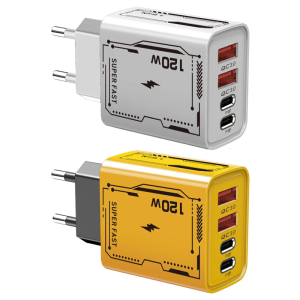
120W Rapid European Version Two USB C Port Build For Office Travel Use

Redmi Phone Hard Case: A Comprehensive Guide
![[COD] KOQZM KITCHEN 2Pcs Reusable Universal Soft Washable Headphones Covers Elastic Durable Breathable Protective Dust Proof Earpad Covers](https://img.lazcdn.com/g/p/4756ccacf771cb6441602ced6516b64a.jpg_300x300q80.jpg)
[COD] KOQZM KITCHEN 2Pcs Reusable Universal Soft Washable Headphones Covers Elastic Durable Breathable Protective Dust Proof Earpad Covers
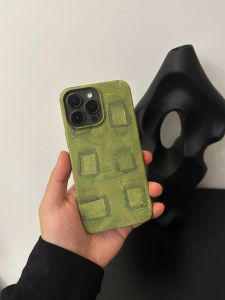
Stylish Avocado Green for Apple 14promax Huawei Mate60pro Minimalist Iphone15pro Glory Nova Couple Film Shell Vivo Xiaomi Oppo Phone Case

Original Screen With Frame For Samsung Galaxy A10 A105G A105 LCD Display Touch Screen Digitizer Assembly Replacement Parts