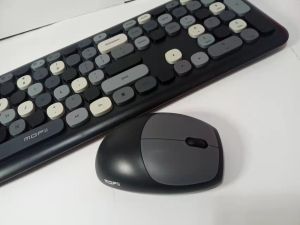
Mixed Color Keycap 2.4Ghz Wireless Keyboard and Mouse Combo Set for Home & Office
Mixed Color Keycap 2.4Ghz Wireless Keyboard and Mouse Combo Set for Home & Office⛔Important notices when you plan to buy this keyboards⛔⛔As USB 2.4G wireless/wired keyboards are not perfectly compatible with Apple OS system, the multimedia function keys (F1-F12) ,CTRL may not work normally. BUT other keys are working. Please be cautious when purchasing!!!If you want it to work on Apple system (MAC/iPad/iPhone) perfectly, please choose Bluetooth keyboardThank you!⛔If you want it works on an Android phone or Android tablet, please contact us for buying TYPE-C TO USB OTG / MICRO -USB OTG adapter, and make sure that the interface of your device must be TYPE-C OR Micro anD be sure that your mobile is OTG SUPPORT Thank you!!!Color: Pink/Green/Blue/Purple/Black/Grey(Optional)Keyboard Button Quantity: 110 keyMouse Button Quantity: 3 keySystem Compatible: Windows XP/Win7/8/10Battery: AA2, AAA1 (included in the packageFeatures: 110 keys, lovely and portable design. Replace the rarely used function keys with combination keys, which saves space and makes your desk clean. 5 kinds of mixed colors for options, especially design for girls, there’s always the one you like. 10 meters stable wireless connection, support one USB receiver to control the keyboard and mouse simultaneously, plug and play, the drive is not required. 2.4G wireless technology has strong anti-interference ability, provides stable signal transmission. Ergonomic design, the dainty mouse is specially designed for feminine hands, fits your palm curve, more comfortable.PRODUCT ISTalling INSTRUNCTIONS:1.Take out the USB receiver rom the rear side of the mouse and plug it into the computer's usb port2.REmove the battery compartment cover on the rear side of the mouse. Inser 1AA battery with correct polarity into the battery compartment of the moue (observe +and - ).3.REmove the battery compartment cover on the bottom of the keyboard insert 1 AAA battery with correct polarity into the battery compartment of the keyboard (observe + and - )when connected the keyboard can be used properly4.When carried out or not using this set , please take out the nano receiver from usb port and insert receiver curve of the mouse.Package List:1Keyboard1Mouse1USB Receiver1User ManualPlease note:1. Due to the different monitor and light effects, the actual color of the item might be slightly different from the color showed in the pictures, please refer to the actual color.2. Please allow 1-3mm measuring deviation due to manual measurement.3. The default is FN+F1-12 to realize the shortcut, if you need to press F1-12 alone to realize the shortcut, press FN+ESC. Thank you!

trending shop
Review

You May Also Like
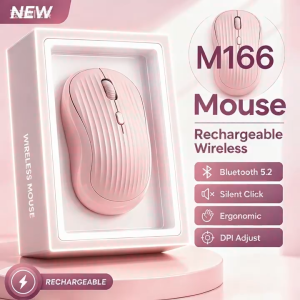
【CYT】M166 Wireless Bluetooth Mouse 2.4G Silent Wireless Mouse Adjustable 3 DPI USB Office Mouse
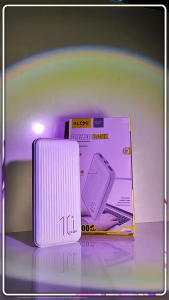
KLGO KP-56 10000mah 2.1A Dual USB Port Portable Travel Powerbank Fast Charging Heavy Duty Original

ECILY Mini Foldable Keychain Phone Stand Multi-Angle Adjustable Lightweight Hands-Free Cell Phone Holder for Travel Desk
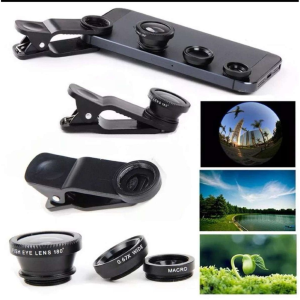
2 in 1 universal clip-on macro wide-angle lens | 37mm 0.45x professional lens suitable for iPhone Huawei Xiaomi⚡PH deliveryIn stock⚡

Mini 2.1 Power Amplifier Board Multi Function Power Amplifier Board 5v20w Audio Amplifier
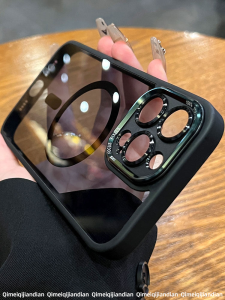
QI MEI. CASE | Magnetic Charging Clear Drop Protection Case

Ice Maker Parts 000008660 Ice Thickness Probe Sensor For Manitowoc ID0302A ID0322A ID0606A ID0852A ID1002A ID1402A ID1802A
MCDODO CA-1030 | Digital Dispaly 36W Type-C to Lightning Data Cable 1.2M

ICOOK 21-A Automatic Ignition Heavy Duty Cast Iron Burner Gas Stove
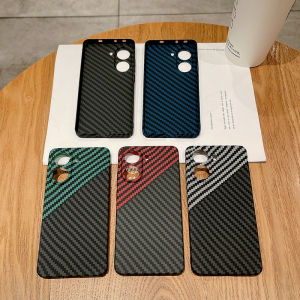
Shockproof Slim Carbon Fiber Pattern PC Hard Case For POCO X7 Pro Anti-scratch Precise Camera Protection Phone Cover Funda

Meewoo Laptop Stand Aluminum Alloy Material Foldable Portable Laptop Heighten Bracket Notebook Stand Compatible with 7-17 Inch Apple Macbook Huawei Lenovo