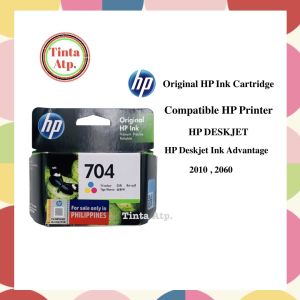
100% Original HP Ink Cartridge 704 For HP Deskjet Ink Advantage 2010, 2060, K110a and K010a
100% Original HP Ink Cartridge 704 For HP Deskjet Ink Advantage 2010, 2060, K110a and K010a
Understanding High-Quality HP Printer Ink
What is HP Ink Cartridge 704?
The HP Ink Cartridge 704 is a high-quality printer ink cartridge designed specifically for use with HP Deskjet Ink Advantage printers, including models 2010 and 2060. This black ink cartridge offers exceptional print quality and reliability, ensuring consistent performance and long-lasting results.
How to Choose the Right Ink Cartridge
When selecting an ink cartridge, it is essential to consider compatibility with your printer model. For HP Deskjet Ink Advantage printers, the original HP Ink Cartridge 704 is the best choice due to its optimized performance and guaranteed quality. Always verify the printer model and cartridge compatibility before making a purchase.
Benefits of Using Original HP Ink Cartridge 704
Using the original HP Ink Cartridge 704 provides several advantages over alternative ink cartridges:
- Print Quality: Original HP ink cartridges offer superior print quality, producing sharp, vibrant text and images.
- Reliability: Original HP ink cartridges are specifically designed for HP printers, ensuring consistent performance and reduced risk of printer malfunctions.
- Longevity: Original HP ink cartridges provide long-lasting results, reducing the frequency of cartridge replacements and minimizing waste.
Compatible with HP 2010 & 2060
K110a & K010a Replacement Ink
The HP Ink Cartridge 704 is a direct replacement for K110a and K010a ink cartridges, offering seamless integration with HP Deskjet Ink Advantage printers. By using the original HP ink cartridge, you can enjoy the same high-quality print results as the original K110a and K010a cartridges.
How to Install Original HP Ink Cartridge 704
Installing the original HP Ink Cartridge 704 is simple and straightforward. Follow these steps to ensure proper installation:
- Turn on your printer and open the ink cartridge access door.
- Remove any used ink cartridges from the printer.
- Carefully remove the original HP Ink Cartridge 704 from its packaging.
- Insert the cartridge into the designated slot and close the ink cartridge access door.
- Allow the printer to recognize and initialize the new ink cartridge.
Troubleshooting Common Issues with HP Ink Cartridges
If you encounter any issues with your HP Ink Cartridge 704, try the following troubleshooting steps:
- Print Quality Issues: Clean the print head and check for any clogs or blockages.
- Printer Malfunctions: Restart the printer and ensure the ink cartridge is properly installed.
- Ink Levels: Monitor ink levels and replace cartridges when necessary to maintain optimal print quality.
Comparing Original HP Ink Cartridge 704 with Alternatives
Original HP Deskjet Ink Advantage vs. Compatible Inks
While compatible ink cartridges may offer cost savings, they often compromise on print quality and reliability. By using the original HP Ink Cartridge 704, you can enjoy consistent performance and exceptional print results, ensuring long-term satisfaction with your HP Deskjet Ink Advantage printer.
Long-Term Cost Savings with Original HP Ink Cartridge 704
Although the initial investment in the original HP Ink Cartridge 704 may be higher than alternative ink cartridges, the long-term cost savings are significant. By reducing the frequency of cartridge replacements and minimizing waste, you can save money over time while maintaining optimal print quality.
Maintaining Printer Performance with Original HP Ink Cartridge 704
To ensure consistent performance and long-lasting results, it is crucial to use the original HP Ink Cartridge 704 with your HP Deskjet Ink Advantage printer. By following the recommended maintenance procedures and replacing cartridges as needed, you can enjoy reliable performance and exceptional print quality for years to come.

Tinta Atp
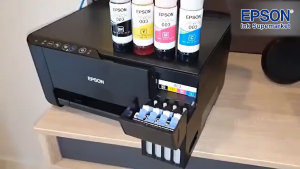
You May Also Like
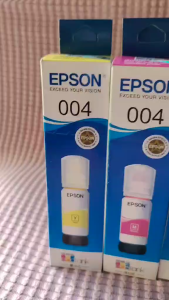
004 INK WITH BOX COMPATIBLE TO PRINTERS ● L1110 ● L1210 ● L3100 L3101 L3106 L3108 ● L3110 L3115 L3116 L3118 L3119 ● L3150 L3151 L3156 L3158 ● L3160 ●
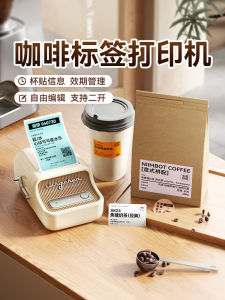
NiiMbot B21 Portable Handheld Bluetooth Label Printer Coffee Bean Cup Stickers Transparent Waterproof DIY Pattern Logo Mobile Home Color Notes Small

Comix | Small Size Impact Printer Tax Invoice Receipt Delivery Note OutPut Document Printer Thermal Paper Receipts Non-Epson 630K
High Temperature Filament Rack For Lab 3D Printers Made From Durability ABS+PC For Long Time Use
![[COD] WHPHous Ship within 24 hours Universal Ink Bottle For Printer L3110 L4160 L6190 L3150 ET-8550 L8160 L8180 L8050 101 103 105 502 522 544 T552](https://img.lazcdn.com/g/p/735e0af84d73f443e55ec2eb777df071.jpg_300x300q80.jpg)
[COD] WHPHous Ship within 24 hours Universal Ink Bottle For Printer L3110 L4160 L6190 L3150 ET-8550 L8160 L8180 L8050 101 103 105 502 522 544 T552
HP 89A BLACK ORIGINAL LASERJET TONER CARTRIDGE (CF289A)
Copper 3D Printer Nozzle High Temperature Performances 240°C To 260°C Multiple Diameter Selection Easy Replacement

TN2280 TN2250 Toner Cartridge Compatible DCP-7065 HL2130
Mini Barcode Scanner USB Wired/Bluetooth/ 2.4G Wireless 1D 2D Scanner QR PDF417 EAN13 Data Matrix Bar code Reader

85A HP85A CE285A Star Ink Toner Cartridge Compatible with CBT-CB435A 436A CRG-125HP LASERJET M1132 M1212 M1217 P1102 HP LASERJET PRO M 1130 M1132 M1210 M1212 M1213 M1217 P1100 P1102 CANON I SENSYS LBP6000 LBP6020 LBP6030 MF3010
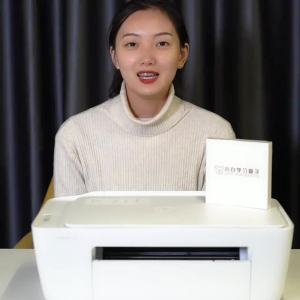
HP2700 Home Work Printer Mobile Phone Wireless Connection Photo Color Inkjet All-in-One Mini a4 Small