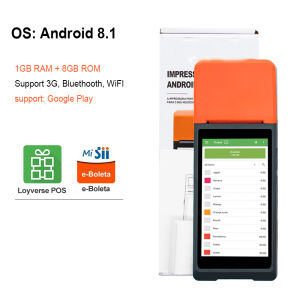
Android Handheld POS Machine System 1G+8G Storage Come with NFC 58mm Thermal Printer and Camera for Scan Code Compatible with Retail Restaurant Food Delivery App
Android Handheld POS Machine System 1G+8G Storage Come with NFC 58mm Thermal Printer and Camera for Scan Code Compatible with Retail Restaurant Food Delivery App
Overview of the Android Handheld POS Machine
The Android Handheld POS Machine is a powerful and portable solution for retail, restaurant, and food delivery businesses. With 1G RAM and 8G storage, this system is capable of running various applications and handling large amounts of data. It comes equipped with a built-in NFC thermal printer and camera, providing a seamless experience for businesses looking to streamline their operations.
Features and Benefits
- NFC Thermal Printer: Print receipts quickly and efficiently using the built-in NFC thermal printer. Compatible with 58mm paper rolls, this printer ensures that your receipts are always clear and legible.
- Camera for Scan Code: Easily scan products and barcodes with the built-in camera, saving time and increasing efficiency.
- Compatibility: Works seamlessly with retail, restaurant, and food delivery apps, ensuring a smooth experience for businesses of all sizes.
- Portability: Lightweight and compact design makes it easy to move around your store or restaurant, providing flexibility for your business needs.
- Strong Endurance: Built to last, this POS machine can handle heavy usage without compromising on performance.
Compatibility with Retail, Restaurant & Food Delivery Apps
The Android Handheld POS Machine is compatible with a wide range of retail, restaurant, and food delivery apps, allowing businesses to easily manage their operations and streamline their workflows. With support for 3 networks and the ability to use SIM cards and WIFI, businesses can stay connected and access their apps wherever they go.
How to Use the NFC Thermal Printer
Using the NFC thermal printer is simple and straightforward. Follow these steps to get started:
- Connect the printer to the POS system using the NFC feature.
- Open the desired app and select the option to print a receipt.
- The thermal printer will automatically print the receipt using 58mm paper rolls.
Connecting the Printer to the POS System
To connect the NFC thermal printer to the POS system, simply hold the two devices close together and wait for the connection to be established. Once connected, the printer will be ready to print receipts.
Printing Receipts with the NFC Thermal Printer
Printing receipts with the NFC thermal printer is easy and efficient. Simply open the desired app, select the option to print a receipt, and the printer will automatically print the receipt using 58mm paper rolls.
Camera for Scan Code: Enhancing Efficiency
The built-in camera in the Android Handheld POS Machine allows businesses to scan products and barcodes quickly and accurately, increasing efficiency and reducing errors.
Scanning Products with the Built-in Camera
Scanning products with the built-in camera is simple and efficient. Simply open the desired app, select the option to scan a product, and the camera will automatically detect and scan the barcode.
Benefits of Using a Camera for Scan Code
Using a camera for scan code offers several benefits, including increased efficiency, reduced errors, and improved accuracy. With the built-in camera in the Android Handheld POS Machine, businesses can easily manage their inventory and streamline their workflows.
Support & Customer Service
The Android Handheld POS Machine comes with free software testing, allowing businesses to test the system before committing to a purchase. In addition, customer service is available to assist with any questions or concerns.
Free Software Testing
Businesses can take advantage of free software testing to ensure that the Android Handheld POS Machine meets their needs before making a purchase. This allows businesses to test the system and make any necessary adjustments before implementing it in their operations.
Contacting Customer Service for Assistance
Customer service is available to assist with any questions or concerns related to the Android Handheld POS Machine. Businesses can contact customer service for assistance with setup, troubleshooting, and other issues.
In conclusion, the Android Handheld POS Machine is a powerful and portable solution for retail, restaurant, and food delivery businesses. With features such as NFC thermal printer, camera for scan code, and compatibility with various apps, this system provides a seamless experience for businesses looking to streamline their operations. Additionally, free software testing and customer service support make it easy for businesses to get started and ensure a smooth experience. }

VioPos
You May Also Like
Esun ABS+ Filament 1kg 1.75mm
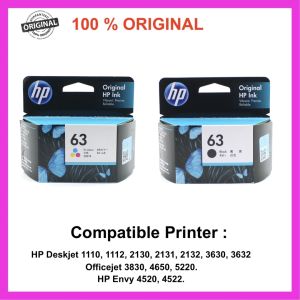
HP 63 100% Original Ink Advantage Cartridge for HP Deskjet 1110 1112 2130 2131 2132 3630 3632.Hp Envy 4520 4522.Hp Officejet 3830 4650 5220
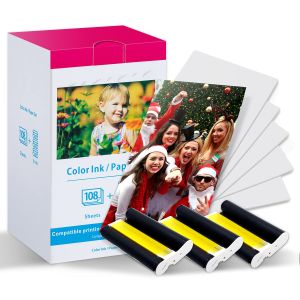
Fimax KP-108IN: A Comprehensive Guide for Canon Selphy CP Series Printers
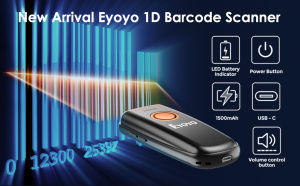
Eyoyo 1D Laser Mini Barcode Scanner Via Bluetooth 2.4G Wireless USB Wired With Power On/Off Button Volume Up/Down Button Portable Bar Codes Reader for Windows/Mac Computer/Android/iOS Phones
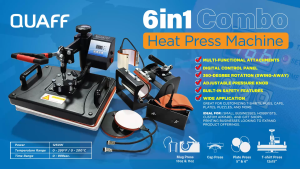
Printleaf - 6in1 CUYI Combo Heat Press Machine
![[COD] SHGMYD Filament Plastic For 3D Printer Multi-colored Optional Rubber Consumables Material](https://img.lazcdn.com/g/p/b90dd0b8fb0f92dbc6651b7a86633386.jpg_300x300q80.jpg)
[COD] SHGMYD Filament Plastic For 3D Printer Multi-colored Optional Rubber Consumables Material
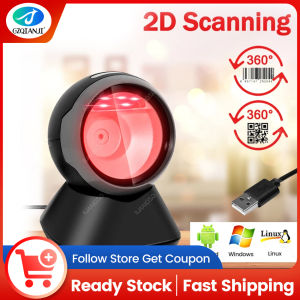
GZQIANJI Omnidirectional Hands-Free Platform 1D 2D Desktop Barcode Scanner with Automatic Sensing Screen Scanning QR Bar Code Scan Reader for POS PC Supermarket Bookstore Retail Mall
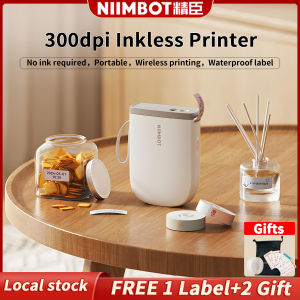
NIIMBOT D11 Bluetooth Label Maker Machine - 300DPI Portable Thermal Printer with Tape Wireless Sticker Maker for Home Office SchoolKitchen USB Rechargeable Multiple TemplatesChristmas Gift Stickers CardReady Stock Christmas Gift Stickers Card

INKSCRIBED 151A W1510A Compatible Toner Cartridge for HP Laserjet MFP 4103fdn Pro 4003 Printer

HP Printer Parts For HP 115 Shaft Rod. HP 315 Shaft Rod. HP 415 Shaft Rod. HP 500 Shaft Rod. Refurbished.
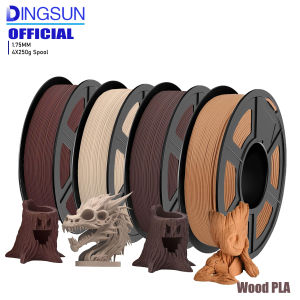
Wood PLA 3D Printer Filament Matt Surface & Low Warping Filament 4X250g Spool (Total 1kg 2.2 lbs) Accuracy 1.75mm +/- 0.02 mm