VRPARK J20 3D VR Glasses: A Comprehensive Guide
VRPARK J20 3D VR Glasses: A Comprehensive Guide
What Are VRPARK J20 3D VR Glasses?
VRPARK J20 3D VR Glasses are a pair of virtual reality glasses designed specifically for smartphones within the size range of 4.7 to 6.7 inches. This versatile device supports both iPhone and Android devices, making it a popular choice among gamers and movie enthusiasts.
Key Features
- Compatibility: Supports smartphones with screen sizes ranging from 4.7 to 6.7 inches, including iPhone and Android devices.
- Remote Control: Comes with a remote control for easy navigation and game play.
- Comfortable Design: Ergonomically designed to provide a comfortable viewing experience.
Compatibility with Smartphones
The VRPARK J20 3D VR Glasses are compatible with smartphones within the size range of 4.7 to 6.7 inches, making them suitable for a wide range of devices, including both iPhone and Android models. This ensures that users can enjoy immersive virtual reality experiences regardless of their smartphone brand or model.
How to Use VRPARK J20 3D VR Glasses
Setting Up the Headset
To set up the VRPARK J20 3D VR Glasses, follow these steps:
- Place your smartphone inside the headset, ensuring it is securely positioned.
- Adjust the head strap to fit comfortably around your head.
- Adjust the lens distance to match your eyesight.
Connecting the Remote Control
To connect the remote control, follow these steps:
- Insert the batteries into the remote control.
- Press the power button on the remote control to turn it on.
- Pair the remote control with your smartphone using the Bluetooth settings.
Playing Games & Watching Videos
Once the VRPARK J20 3D VR Glasses are set up and the remote control is connected, you can start enjoying immersive virtual reality experiences by playing games and watching videos on your smartphone.
VRPARK J20 3D VR Glasses: Pros & Cons
Pros
- Compatibility: Supports smartphones within the size range of 4.7 to 6.7 inches, including iPhone and Android devices.
- Remote Control: Comes with a remote control for easy navigation and game play.
- Comfortable Design: Ergonomically designed to provide a comfortable viewing experience.
Cons
- Limited Screen Size Compatibility: Only supports smartphones with screen sizes ranging from 4.7 to 6.7 inches.
- Battery Life: The battery life of the remote control may vary depending on usage.
Frequently Asked Questions (FAQ)
Can I use VRPARK J20 3D VR Glasses with my iPhone?
Yes, the VRPARK J20 3D VR Glasses are compatible with iPhones with screen sizes ranging from 4.7 to 6.7 inches.
Is it easy to set up and use?
Yes, setting up and using the VRPARK J20 3D VR Glasses is straightforward. Simply place your smartphone inside the headset, adjust the head strap and lens distance, and connect the remote control using Bluetooth.
Can I use VRPARK J20 3D VR Glasses with Android devices?
Yes, the VRPARK J20 3D VR Glasses are compatible with Android devices with screen sizes ranging from 4.7 to 6.7 inches.

Shining StarCity
![[COD + local seller]VRPARK J20 3D VR Glasses Virtual Reality Glasses for 4.7- 6.7 Smart Phone iPhone Android Games Stereo with Headset Controllers](https://img.lazcdn.com/g/p/e5c79553a1945bcfec5ea205c7c63289.png_300x300q80.png)
You May Also Like
Protective Silicone Thumb Caps Joystick Guard for RG556 RG35XX H Handheld Consoles Delivering Superior Wear Resistance
New M8 Video Game Console 64GB Games Set Classic Games NBA Game Stick Built-In 20000 Games
7 in 1 Silicone Dust Plugs Set Interfaces Anti-Dusts Cover Dustproof Plugs Kit for XB One X Game Console Accessories
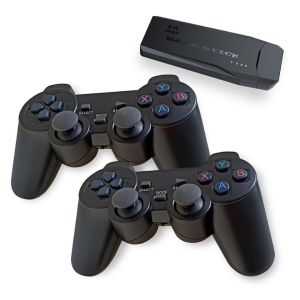
Retro Arcade PSP Dual Wireless Controller 2.4G Home TV Game Console
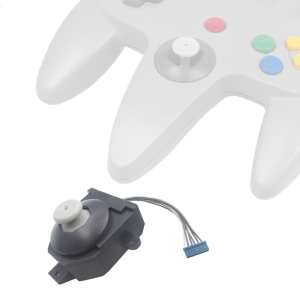
3D Joystick Replacement for N64 Controller Analog Thumb Stick Gamecube Controller Thumbstick Cap Repair Part
![Diablo III Eternal Collection Nintendo Switch Game [PRELOVED]](https://img.lazcdn.com/g/ff/kf/S69663da06b1f4c619b020eb2e49c16a6w.jpg_300x300q80.jpg)
Diablo III Eternal Collection Nintendo Switch Game [PRELOVED]

D007Plus Handheld Game Players 3.5 Inch IPS Screen 3D Joystick Linux Open Source System 10000+ Gaming Retro Devices
AR Glasses Full Light Blockers Silicone for RayNeo Air3/Air2/Air3s Xreal one/pro/Air2 Air2 Pro AccessoriesUniversal
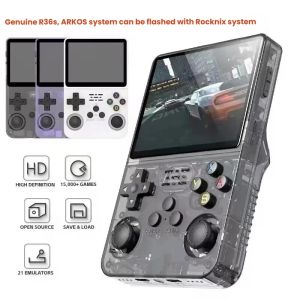
R36S Retro Handheld Video Game Console Linux System 3.5-inch IPS Screen Mini Portable Handheld Video Player 64GB 15000 Games
2025 New F1 Mario Handheld Game Console 620 Nostalgic Childhood High-Definition Large Screen

Dark Souls - Xbox 360