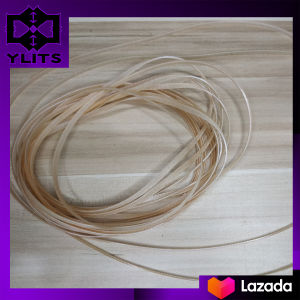
Compatible New Carriage Unit Belt for Epson Inkjet Printers
Compatible New Carriage Unit Belt for Epson Inkjet Printers
Introduction to Replacement Inkjet Printer Belts
A replacement inkjet printer belt is a crucial component that helps ensure smooth and accurate printing performance. This flexible belt, also known as a carriage unit belt, is responsible for moving the print head assembly back and forth during the printing process. Over time, the belt can wear out or become damaged, leading to poor print quality or even complete printer failure. Replacing the belt with a compatible new carriage unit belt can help restore optimal printer functionality and extend the lifespan of your Epson inkjet printer.
Why choose a compatible carriage unit belt?
Compatible carriage unit belts offer several advantages over original equipment manufacturer (OEM) parts. They are often more affordable, readily available, and provide similar performance and reliability. By choosing a compatible belt, you can save money while still enjoying high-quality prints from your Epson R270, R290, T50, L800, L801, L805, L810, or L850 inkjet printer.
Selecting the Right Inkjet Printer Belt
To ensure proper functionality, it's essential to choose the correct model number for your specific printer. This article focuses on the compatible new carriage unit belt for the Epson R270, R290, T50, L800, L801, L805, L810, and L850 inkjet printers.
Key features of the 1pc ink jet belt
- Compatible with multiple Epson inkjet printers, including the R270, R290, T50, L800, L801, L805, L810, and L850 models
- High-quality construction for reliable performance and extended lifespan
- Easy-to-install design for hassle-free replacement
Installing and Using the Inkjet Printer CR Belt
To install the compatible new carriage unit belt, follow these steps:
- Turn off the printer and unplug it from the power source.
- Remove the ink cartridges and paper tray.
- Locate the carriage assembly and carefully remove the old belt.
- Install the new compatible carriage unit belt according to the manufacturer's instructions.
- Reassemble the printer, plug it back in, and test the print quality.
Troubleshooting common issues
If you experience issues after installing the new belt, try the following troubleshooting tips:
- Make sure the belt is properly aligned and securely installed.
- Check for any obstructions or debris that may interfere with the print head movement.
- Verify that the ink cartridges are correctly installed and functioning.
Conclusion
In summary, replacing the inkjet printer belt with a compatible new carriage unit belt can help restore optimal printing performance and extend the lifespan of your Epson R270, R290, T50, L800, L801, L805, L810, or L850 inkjet printer. By choosing the correct model number and following the installation steps carefully, you can enjoy high-quality prints at a fraction of the cost of OEM parts. If you encounter any issues during or after the installation process, refer to the troubleshooting tips provided above.
Final thoughts on compatible new carriage unit belts: Investing in a compatible new carriage unit belt is a smart decision for any Epson inkjet printer owner looking to save money and improve print quality. With the right belt and proper installation, you can enjoy reliable printing performance for years to come.

ylits parts
Review

You May Also Like
Mark Jet Portable Mini Handheld Inkjet Printer Wireless Mobile Color Printing Water-soluble Ink for Photo Logo Lable Fabric
Premium Dye Ink for Epson Printer (Black Cyan Magenta Yellow)
Printer House Ink Cartridge Replacement Quick-Drying 45ml for MX3 M10 D10 Handheld Inkjet Printer(Black)
Wood PLA 3D Printer Filament Matt Surface & Low Warping Filament 4X250g Spool (Total 1kg 2.2 lbs) Accuracy 1.75mm +/- 0.02 mm
MP00 500ml Pigment Ink CUYI Brand (C M Y K)
Brother Printer Drum DR2255: A Comprehensive Guide
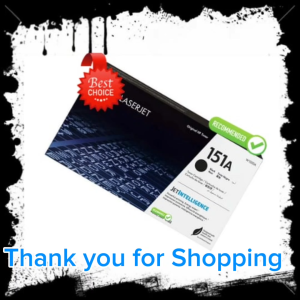
HPee 151A (W1510A) Black LaserJet Toner Cartridge
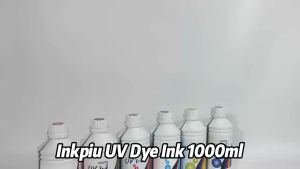
Inkpiu UV Dye Ink 1 Liter C/M/Y/K/LC/LM for printer Premium Universal Ink for Inkjet Compatible Printer
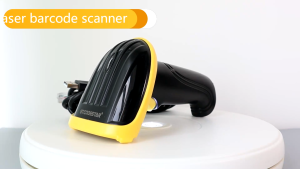
GTCODESTAR M-3100 High Speed Scanning Wired Barcode Reader handheld scanner 1D Barcode Scanner for Supermarket
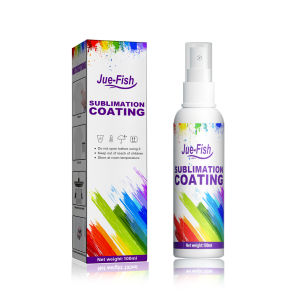
JUE-FISH Cotton Shirts Sublimation Coating Spray: A Comprehensive Guide
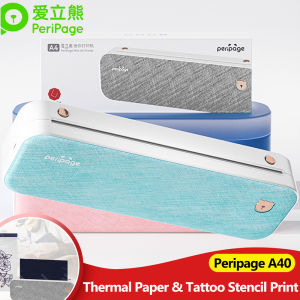
300DPI/203dpi PeriPage A4 Portable Thermal Printer Bluetooth Photo PDF Document Tattoo Tranfer Paper/Folded/Rolls Paper Printing