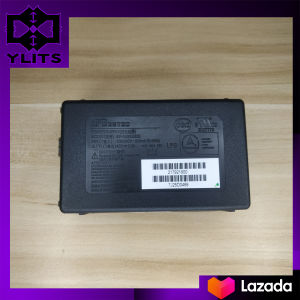
Adapter Power Board For Epson L110 L111 L120 L211 L210 L220 L300 L301 L303 L335 L350 L351 L353 L355 L358 L365 L381 L400 Power Supply
Adapter Power Board For Epson L110 L111 L120 L211 L210 L220 L300 L301 L303 L335 L350 L351 L353 L355 L358 L365 L381 L400 Power Supply
Introduction to Epson Adapter Power Board
Epson printers are widely used by both home users and businesses due to their reliability and efficiency. However, over time, the power adapter or power board may become faulty, leading to printer malfunctions. In this article, we will discuss the Adapter Power Board for Epson printers L110-L400, including its key features, specifications, compatibility, and installation process.
Key Features and Specifications
The Adapter Power Board for Epson printers L110-L400 is designed to provide reliable power supply to your printer. Some of its key features include:
- High-quality components and materials for durability
- Compact design for easy installation and storage
- Compatible with various Epson printers, including models L110, L111, L120, L211, L210, L220, L300, L301, L303, L335, L350, L351, L353, L355, L358, L365, L381, and L400
- Easy-to-follow installation instructions
Compatibility with Various Epson Printers
The Adapter Power Board is compatible with a wide range of Epson printers, including models L110, L111, L120, L211, L210, L220, L300, L301, L303, L335, L350, L351, L353, L355, L358, L365, L381, and L400. It is important to check the compatibility of the power board with your specific printer model before purchasing.
How to Choose the Right Adapter Power Board
To ensure that you choose the right Adapter Power Board for your Epson printer, follow these steps:
Identifying Your Printer Model
Before purchasing a new power board, make sure to identify your printer model. This information can usually be found on the printer itself or in the user manual.
Checking Compatibility and Availability
Once you have identified your printer model, check the compatibility of the Adapter Power Board with your printer. You can find this information on the product page or by contacting the manufacturer. If the power board is compatible with your printer, proceed to purchase it.
Installation and Troubleshooting Guide
Installing the Adapter Power Board is a straightforward process. Follow these steps to install it on your Epson printer:
Step-by-Step Installation Process
- Unplug your printer from the power source.
- Remove the old power adapter or power board from the printer.
- Connect the new Adapter Power Board to the printer.
- Plug the power cord into the Adapter Power Board and then into the power outlet.
- Turn on your printer and check if it is functioning properly.
Common Issues and Solutions
If you encounter any issues during installation or while using the Adapter Power Board, refer to the troubleshooting guide below:
-
Issue: Printer does not turn on after installing the new power board.
- Solution: Check if the power cord is properly connected to both the Adapter Power Board and the power outlet. Also, ensure that the Adapter Power Board is correctly installed on the printer.
-
Issue: Printer turns on but does not print.
- Solution: Check if the ink cartridges are properly installed and if there is enough ink in them. Also, ensure that the paper tray is loaded with paper and that the printer settings are correct.
Frequently Asked Questions
What is the difference between power adapter and power board?
A power adapter is a device that converts AC power from the wall outlet to DC power required by the printer. On the other hand, a power board is a component inside the printer that distributes power to various parts of the printer.
How to determine if my printer needs a new power adapter?
If your printer is not turning on or is experiencing frequent power-related issues, it may be time to replace the power adapter. You can also check the power adapter for any signs of damage or wear and tear, such as frayed wires or loose connections. If you notice any of these issues, it is recommended to replace the power adapter.
In conclusion, the Adapter Power Board for Epson printers L110-L400 is a reliable and efficient solution for powering your printer. By following the installation and troubleshooting guide, you can ensure that your printer is functioning properly and avoid any power-related issues." }

ylits parts
You May Also Like
ETQ Compatible Toner Cartridge NPG28 for Canon ir2020 2016 2018 2022 NPG-28
HP 305 & 305XL Ink Cartridge: Compatibility Guide for HP Deskjet Printers
Niimbot B18 Thermal Transfer Label Printer Mini Bluetooth Label Maker Cable Jewelry Horticulture Wireless Label Machine for Android/IOS Phone Included Label Paper and Carbon Ribbon
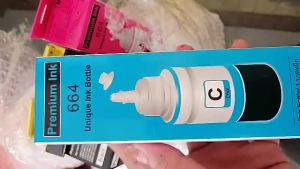
Officom T664 Refill Dye Ink Bundle 70ML (C/M/Y/K)| High-Quality Ink for Epson L120L121L210L360 L405 Inkjet Printers
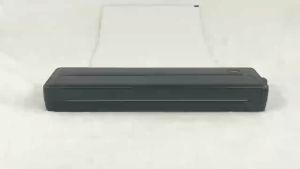
A4 Portable Thermal Printer Wireless Mobile Travel Printers Bluetooth Label Maker with Sheets
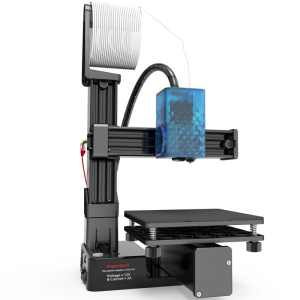
Beginner Friendly Entry Level TPU 1.75mm 3D Printer For Kids Students Detachable Platform Build Area
WELLSHOW PLA 3D Filament 1.75mm PLA+PRO Filament Food Safe 3D Printer Filament PETG ABS 1.75mm1KG
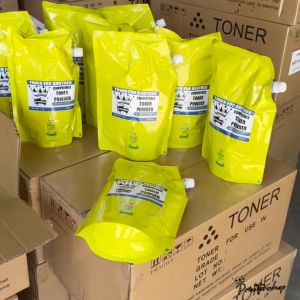
Premium Quality Compatible Toner for Brother
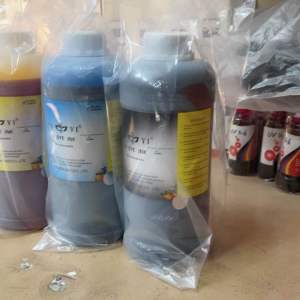
1 liter Cuyi dye ink for all types of continuous printer
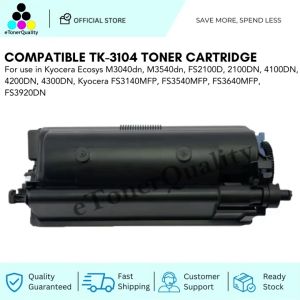
ETQ Compatible TK3104 Toner Cartridge for Kyocera Copier Printer
Canon MC-G02 & MC-G04 Maintenance Cartridges: A Comprehensive Guide