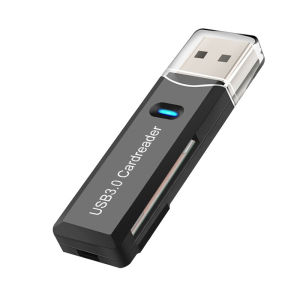
Fonken Usb Card Reader 3.0 Tf Sd Card Reader 2 In1 Cardreader Adapter Pc Laptop Smart Memory Card Reader Microsdxc Rider Adaptor
How to use the card reader correctly:1: There is a TF card slot at the tail, Gently insert the TF card with the metal contact piece side down into the card slot, you will feel that the TF card and the card reader have a clear "stuck" feeling, the TF card is installed. If the TF card is installed incorrectly, it cannot be inserted into the card slot.At this time, please install it in another direction instead of vigorously, which will easily damage the card reader metal sheet.2: Connect to the computer, insert the computer USB port, the tool bar at the bottom right of the computer will prompt "Found New Hardware", the driver will be installed automatically if there is no driver, and the antivirus software will be automatically scanned, please wait for the completion of this series of computer programs Then proceed to the next step. After a few seconds, the computer prompts "New hardware is available", and you will see your "removable storage device" in "My Computer".3: When copying data, please note that the copy speed will be different according to the different computer system and computer configuration, as well as the size and type of data. In the working state, please wait for the data to be completely copied, and then follow the steps to unplug the card reader. If you unplug the card reader directly, it is easy to cause damage to the card reader.4: After the copy is completed, close all windows related to the use of the card reader, on the toolbar at the bottom right of the computer click the left button, select "completely delete hardware", the computer prompts "safely delete", then you can unplug the card reader, OK, complete the work.5: The card reader should be stored in a dry place, and can be placed in a small box when not in use. Avoid water entering, avoid high temperature, avoid falling from high places.

Findzone Technology Ltd
Review
You May Also Like
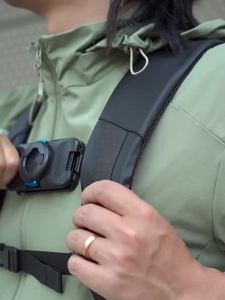
Magnetic Quick Release Backpack Clip Shoulder Bag Holder Chest Fixed Bracket for DJI Action 5 Gopro13 Sports Camera Accessories
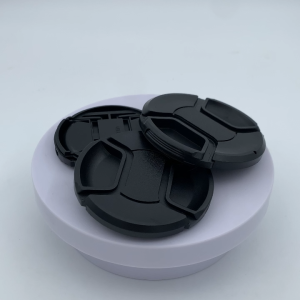
Universal Camera Lens Cap Holder Fits Nikon/Canon Photography Studio Accessory with Anti lost String
![AIWA Smart TV REMOTE Ready to Use Universal [**Mag Basa B4 Umorder**] for AIWA TV REMOTE Control AIWA Remote AW-AON0032S AW-AON0040S REMOTE TV AIWA alluremarketplace2nd](https://img.lazcdn.com/g/ff/kf/Sadd7bc015c704de49b47d0316461197bv.png_300x300q80.png)
AIWA Smart TV REMOTE Ready to Use Universal [**Mag Basa B4 Umorder**] for AIWA TV REMOTE Control AIWA Remote AW-AON0032S AW-AON0040S REMOTE TV AIWA alluremarketplace2nd
Case for realme 13 5G realme 13 Pro Plus 5G phone casing softcase silicone shockproof cover new design aesthetic clear with Holder sjxwxzj01
Stainless Steel Wind Shield Bracket Fire-gathering Gas Stove Keimav- official
PBZZ Case for samsung a14 4g a14 5g a14e a15 phone casing Softcase silicone shockproof Cover new design aesthetic with holder 360 ° rotating makeup mirror for girl JTDTMZJ2
BEISHI | Adjustable TV Floor Stand Rotatable Cart
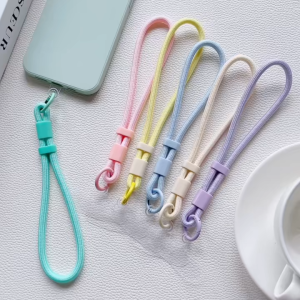
Portable Universal Mobile Phone Lanyard Strap Detachable with Patch Wrist Strap Anti Fall Short Rope Keychain Phone Accessories
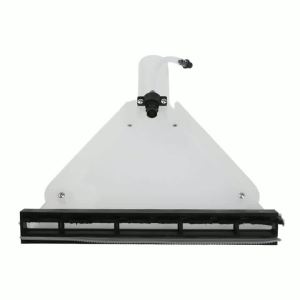
1Pcs Wash Nozzle For Karcher SE Series SE 4001 SE 4002 SE 5001 For Miele For Bosch For Electrolux Vacuum Cleaners Parts For Home
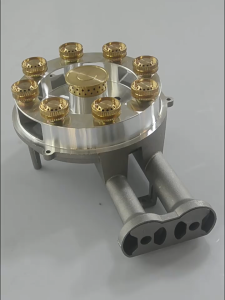
Double 135mm Barrel LPG Burner Glass Top Gas Stove Burner Gold and Black Replacement Parts
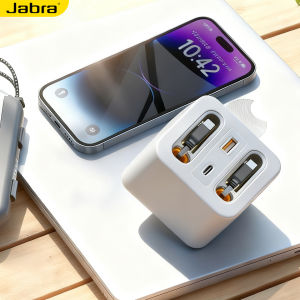
GaN Fast Charging PD USB and Type-C Charging Socket 80CM Cord