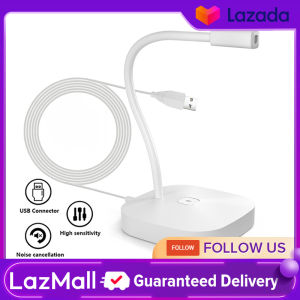
Desktop Computer Microphone USB Wired Microphone 360 Degrees Omnidirectional Condenser Mic Adjustable Neck with Mute Touch-Button Plug & Play for Computer PC Laptop Office Meeting Recording Games
Desktop Computer Microphone USB Wired Microphone 360 Degrees Omnidirectional Condenser Mic Adjustable Neck with Mute Touch-Button Plug & Play for Computer PC Laptop Office Meeting Recording Games
Key Features & Benefits
What is a 360 Degrees Omnidirectional Mic?
A 360 degrees omnidirectional microphone captures sound from all directions equally, making it ideal for recording conversations, meetings, and gaming sessions. This type of microphone provides a natural and balanced sound quality, making it a popular choice among professionals and enthusiasts alike.
How Does It Compare to Other Microphones?
Compared to directional microphones, which capture sound primarily from one direction, omnidirectional mics offer a wider sound pickup area. This makes them more suitable for recording multiple speakers or capturing ambient sounds in a room. Additionally, they tend to have less proximity effect, resulting in a more consistent sound regardless of the distance between the microphone and the sound source.
Why Choose an Adjustable Neck Microphone?
An adjustable neck microphone offers several advantages, such as convenience and comfort. By positioning the microphone close to your mouth, it reduces background noise and ensures clear audio during video calls, office meetings, and gaming sessions. The adjustable design allows users to find the perfect fit, making it ideal for long-term use.
Setup & Installation
Unboxing & Initial Setup
Unboxing your new desktop computer microphone is straightforward. The package includes one microphone, a windproof cotton cover, and a user manual. Before using the microphone, make sure to familiarize yourself with the included manual and follow the setup instructions carefully.
Connecting Your USB Wired Microphone
Connecting your USB wired microphone to your computer or laptop is easy. Simply plug the USB connector into an available port on your device. Once connected, your computer will automatically detect the microphone and install the necessary drivers.
Plug & Play Functionality Explained
Plug & play functionality means that your microphone is ready to use immediately after connecting it to your computer. No additional software installation or configuration is required, making it an ideal choice for users looking for a hassle-free experience.
Usage & Applications
How to Use the Mute Touch-Button Mic
Using the mute touch-button mic is simple. Press the button located on the microphone to toggle between mute and unmute modes. This feature is particularly useful during video calls or meetings, allowing you to quickly silence your microphone when necessary.
Recording Games & Office Meetings
The 360 degrees omnidirectional microphone is perfect for recording games and office meetings. Its wide sound pickup area ensures that all voices are captured clearly, making it easy to review conversations later or share them with colleagues.
Enhancing Video Calls & Online Collaboration
With the adjustable neck microphone, video calls and online collaboration become more enjoyable and efficient. The close proximity to your mouth reduces background noise, allowing others to hear you clearly. Additionally, the mute touch-button mic makes it easy to control when you want to speak or remain silent during conversations.
Maintenance & Troubleshooting
Cleaning Your Microphone
To keep your microphone in top condition, it's important to clean it regularly. Gently wipe the microphone and windproof cotton cover with a soft cloth to remove any dust or debris. Avoid using harsh chemicals or abrasive materials, as they may damage the microphone.
Common Issues & Solutions
If you experience any issues with your microphone, such as poor sound quality or connectivity problems, refer to the troubleshooting section in the user manual. This section provides step-by-step instructions for resolving common issues and restoring optimal performance.
Contacting Customer Support
For further assistance or support, contact the manufacturer's customer service team. They can provide guidance on using the microphone, addressing any concerns, and resolving any issues you may encounter.

Data Mall
You May Also Like

FILTRATION ASSEMBLY

Universal Type C To USB A C High Power Charger Cord 240W with Power Screen for Xiaomi Huawei OPPO VIVO IPhone 15 16 17 Samsung
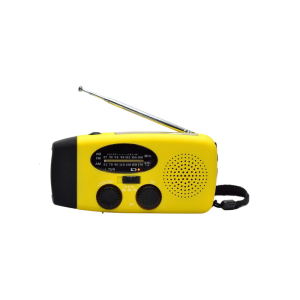
Outdoor Weather Emergency Preparedness Radio Charging 2000mAh Solar Panel Hand Cranked Flashlight For Disaster
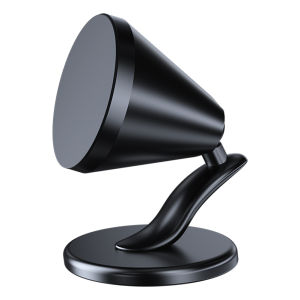
Quick Delivery: Magnetic Cell Phone Mount & Aluminum Alloy Universal Phone Bracket
Replacement PlayStation 5 Face Plate & Protective Hard Case: A Comprehensive Guide

1PCS KETTLE GAS BUTANE for Portable Gas Stove 220g (Luckystar.shop.ph) - Don't Choose Flash/J&T

Luxury Leather Phone Case For Google Pixel 8 7 6 Pro 7a 6a 4a 5 4 XL Simple Fashion Woven Plaid Pattern Cover
High Definition Clear Hollow out Silver Color 3D Stereo Lens Film for OPPO Find X8 pro New Model Anti Scratch Rear Camera Soft Film

5G Compatible OPPO Phone Cases: A Comprehensive Guide
![[COD] PkYeG Tool 5.0 Megapixel M12 IR Cut Filter Double Switcher IR-CUT 20mm Lens Mount Holder](https://img.lazcdn.com/g/p/7de684761bd11fa787bb93aed7f4a5c9.jpg_300x300q80.jpg)
[COD] PkYeG Tool 5.0 Megapixel M12 IR Cut Filter Double Switcher IR-CUT 20mm Lens Mount Holder
BN59-01358B Smart Remote Control: A Guide for Samsung SMART TV Users