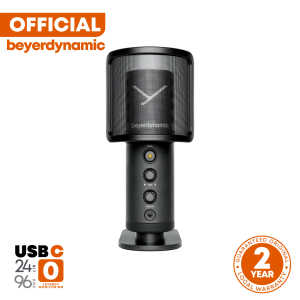
beyerdynamic FOX USB Studio Microphone: A Comprehensive Guide
beyerdynamic FOX USB Studio Microphone: A Comprehensive Guide
What is the beyerdynamic FOX USB Studio Microphone?
The beyerdynamic FOX USB Studio Microphone is a high-quality compact recording device designed for professional audio recording. This versatile microphone comes with a wind shield, desk stand, and USB C-A cable, making it an ideal choice for musicians, podcasters, and content creators.
Key Features & Specifications
The beyerdynamic FOX USB Studio Microphone offers the following features:
- High-Quality Audio: With a frequency response range of 20Hz to 20kHz, this microphone captures crisp and clear sound.
- Plug-and-Play: Simply connect the USB C-A cable to your computer or compatible device, and you're ready to record.
- Compact Design: The microphone's compact size makes it easy to transport and store.
- USB-Powered: No external power supply needed; the microphone is powered via the USB connection.
Comparing to Other High-Quality Microphones
When compared to other high-quality microphones, the beyerdynamic FOX USB Studio Microphone stands out due to its ease of use, compact design, and affordability. It provides professional-grade audio quality at a more accessible price point than many other top-tier microphones.
How to Choose the Right Compact Recording Device
Selecting the right compact recording device depends on your specific audio recording needs. Consider the following factors when selecting a microphone:
- Purpose: Are you recording music, podcasts, or voiceovers? Different microphones excel in specific applications.
- Budget: Determine how much you're willing to spend on a microphone.
- Sound Quality: Look for a microphone that offers clear and crisp sound reproduction.
- Ease of Use: Consider whether you want a plug-and-play solution or if you're comfortable with more complex setups.
Setting Up Your beyerdynamic FOX USB Studio Microphone
To set up your beyerdynamic FOX USB Studio Microphone, follow these steps:
- Connect the USB C-A cable to the microphone and your computer or compatible device.
- Place the microphone on the desk stand provided in the package.
- Position the microphone at the appropriate distance from your sound source.
Connecting the USB C-A Cable
Simply plug the USB C-A cable into the microphone and connect the other end to your computer or compatible device. No external power supply is needed, as the microphone is powered via the USB connection.
Positioning the Microphone & Desk Stand
Place the microphone on the desk stand provided in the package. Position the microphone at the appropriate distance from your sound source to achieve optimal recording quality.
Tips for Optimal Recording Quality
To achieve the best possible recording quality with your beyerdynamic FOX USB Studio Microphone, consider the following tips:
- Proper Placement & Distance from Sound Source: Position the microphone at the appropriate distance from your sound source to capture clear and crisp audio.
- Minimizing Background Noise & Interference: Record in a quiet environment with minimal background noise and interference to ensure the best possible audio quality.
Conclusion & Final Thoughts
The beyerdynamic FOX USB Studio Microphone is an excellent choice for musicians, podcasters, and content creators who require professional-grade audio quality at an accessible price point. Its compact design, ease of use, and affordability make it a top contender in the world of compact recording devices. With proper setup and positioning, you can achieve optimal recording quality and take your audio projects to the next level.

beyerdynamic Philippines
You May Also Like

Apple 15plus Phone Case: Discover the Best Selling Soft Cover & Minimalist Glass Case
TECNO POVA 5 / POVA 5 PRO Premium FULL GlueTempered Glass Screen Protector
Acasis 6-in-1 USB-C Docking Station | 4K60Hz HDMI + 100W PD Fast Charge | 3xUSB3.0 & Gigabit Ethernet for Mac/Windows | 3.3ft Extended Cable for Office/Gaming
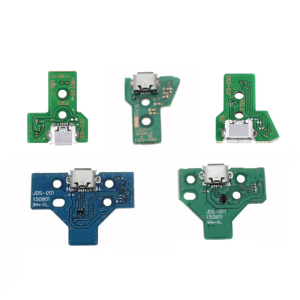
For Controller USB Charging Port Socket Board JDS-001/JDS-011/JDS-030/JDS-040/JDS-050 PCB Board Replacement

3 Sockets Converter & 3 In 1 Universal Adapter: A Comprehensive Guide
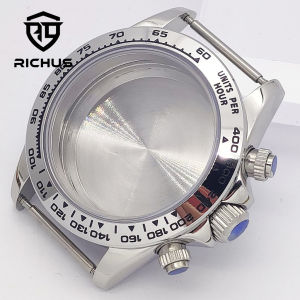
RICHUS VK63 Watch Case 39mm Silver Gold Rose gold Watch Case Mineral Glass Fit VK63 Quartz Movement Watch Accessories
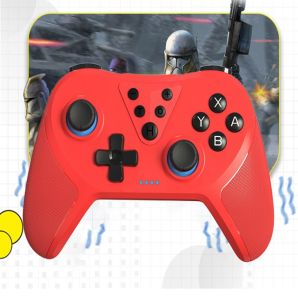
T-37 Wireless Bluetooth Gamepad Type-C Input with Dual Vibration G-Sensor and Turbo Function For Nintendo Switch Lite
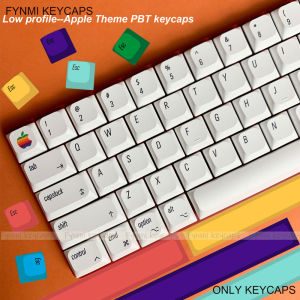
Only Keycaps>>Fynmi Apple Style Theme Low Profile 127 Keys PBT Dye Sublimation Keycap for Mechanical Keyboard
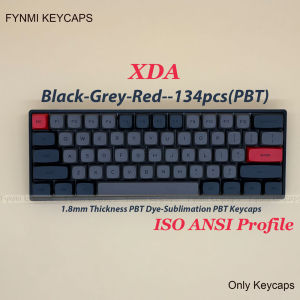
Only Keycaps: Fynmi ISO ANSI XDA Black Grey Red PBT Dye Sublimation XDA Keycaps for Mechanical Keyboard
GLP Powerbank to WiFi Modem Step-Up Connector | 12V USB Cable Power Source

4 Roof Vent Cap Hon&Guan Roof Vents For Houses Galvanized Steel Rooftop Dryer Exhaust Vent Cap with Damper Black