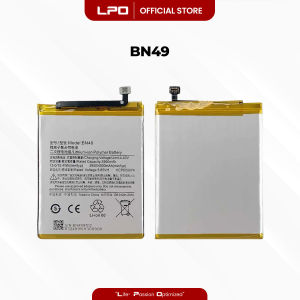
LPO Cellphone Battery Xiaomi Redmi 7A 2019 BN49 3.8V 4000mAh 15.4Wh Compatible with MZB7995IN M1903C3EG
LPO Cellphone Battery Xiaomi Redmi 7A 2019 BN49 3.8V 4000mAh 15.4Wh Compatible with MZB7995IN M1903C3EG
Key Features & Compatibility
The LPO Cellphone Battery Xiaomi Redmi 7A 2019 BN49 is a high-quality replacement battery designed specifically for the Xiaomi Redmi 7A smartphone. This battery boasts a capacity of 4000mAh, providing reliable power for your device. With a voltage of 3.8V and energy capacity of 15.4Wh, this battery ensures smooth operation and extended usage time. The BN49 battery is compatible with the following models:
- MZB7995IN
- M1903C3EG
- M1903C3EH
- M1903C3EI
Why Choose LAPTOP PC OUTLET?
LAPTOP PC OUTLET is a reputable provider of high-quality aftermarket products, including laptops, computers, cellphones, parts, and accessories. Our company specializes in sourcing items that are often hard to find elsewhere, such as the BN49 battery for the Xiaomi Redmi 7A. We work with reputable third-party manufacturers who share the same factory origin as the original products, ensuring superior quality.
Our commitment to customer satisfaction includes offering free assistance to ensure seamless compatibility with your unit. This way, you can avoid the inconvenience of returning items due to incompatibility. Feel free to reach out by clicking the 'chat button' at the bottom of our website to inquire about any issues or concerns. Our dedicated professional Customer Service Representatives are always ready to help.
How to Replace Your Xiaomi Redmi 7A Battery
Replacing your Xiaomi Redmi 7A battery can be a straightforward process if you have the right tools and follow the proper steps. Here's a step-by-step guide to help you through the process:
Tools Required
Before you begin, make sure you have the following tools:
- A Phillips #00 screwdriver
- A plastic opening tool
- A new BN49 battery
Step-by-Step Guide
- Power off your device: Turn off your Xiaomi Redmi 7A before beginning the replacement process.
- Remove the back cover: Use the plastic opening tool to gently pry off the back cover of your device. Be careful not to damage the screen or any internal components.
- Remove the screws: Use the Phillips #00 screwdriver to remove the four screws securing the battery to the device.
- Disconnect the battery connector: Gently lift the battery connector from its socket.
- Remove the old battery: Carefully slide the old battery out of the device.
- Install the new battery: Align the new BN49 battery with the connector socket and gently press it into place.
- Secure the battery: Replace the screws and secure the battery to the device.
- Reattach the back cover: Snap the back cover back onto your device.
- Power on your device: Turn on your Xiaomi Redmi 7A and enjoy the improved battery life.
Troubleshooting Common Issues
If you encounter any issues during the replacement process, here are some tips to help you troubleshoot:
- Battery not charging: Make sure the battery connector is securely connected to the device. If the issue persists, try using a different charger or cable.
- Device not turning on: Check if the battery is properly installed and the screws are securely tightened. If the issue persists, contact our Customer Service Representatives for further assistance.
By following these steps and using the right tools, you can easily replace your Xiaomi Redmi 7A battery and enjoy improved performance. Remember, LAPTOP PC OUTLET is here to help you every step of the way.

LPO
You May Also Like
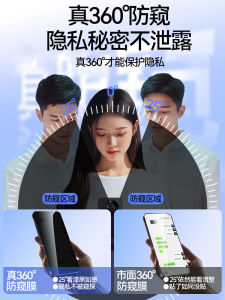
Newyu Honor X60 Privacy Screen Protector Full Cover No Border Anti Blue Light High Definition Tempered Glass Film for Mobile Phones
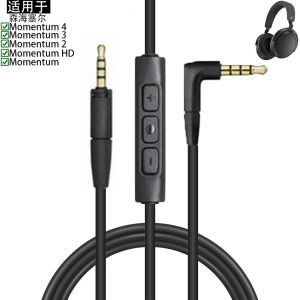
Sennheiser Compatible Earphone Cable Breadsticker Audio Extension Line Leather Woven Soft Touch Size Small Medium Large

Oppo Reno10 pro Silicone Soft Phone Case with Wristband Stand Female Style Anti-Fall Protection Cover Small Sheepskin Shell
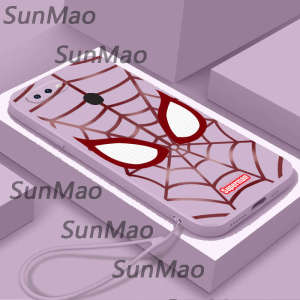
For OPPO A5S OPPO A12 Phone Case European and American fashion style cover CHA29

Korean Style Smiling Face Stand Suitable for Huawei PuraX Folding Screen Mobile Phone Case Leather Xiaomi Mixflip Handheld

Luxury Sheepskin Phone Cases: A Comprehensive Guide
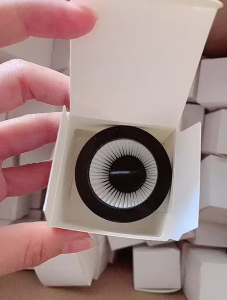
5pcs Portable Vacuum Cleaner Hepa Filter High-Efficiency Filter For Xiaomi Derma DX115S DX115C
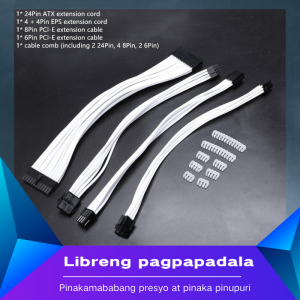
1Pcs Atx 24Pin/Eps 4+4Pin/Pci-E 8Pin/Pci-E 6Pin Power Extension Cable Basic Extension Cable Kit
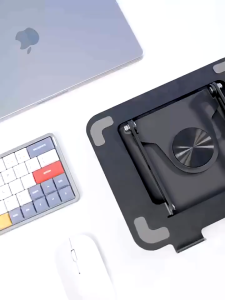
360° Rotating Laptop Stand Foldable Laptop Stand Height Adjustable Tablet Stand 10-17 inches Devices
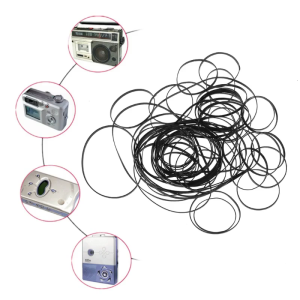
100PCS Mix Size Flat Belts 4mm Rubber Belts Cassette Tape Belt 40-135mm Fold Length for Repeater DVD Drives

Xiaomi 15 Ultra pro 13 Ultra Full Screen AR Enhanced Glass Lens Film Protection Cover Anti-Fingerprint Clear HD Anti-Fall Sticker