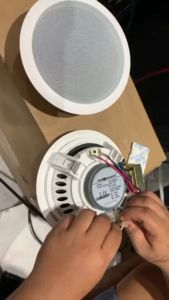
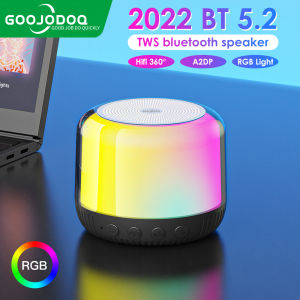
GOOJODOQ Mini HiFi Wireless Speaker: A Comprehensive Guide
GOOJODOQ Mini HiFi Wireless Speaker: A Comprehensive Guide
Introduction to GOOJODOQ Bluetooth Portable Speaker
The GOOJODOQ Mini HiFi Wireless Speaker is a compact yet powerful audio device designed for music enthusiasts who want to enjoy high-quality sound on the go. As a stereo mini LED HiFi wireless speaker, it offers exceptional audio performance and convenience. This comprehensive guide will provide you with essential information about its features, usage, tips, and maintenance.
Key Features of GOOJODOQ Stereo Mini LED HiFi Wireless Speaker
The GOOJODOQ Bluetooth Portable Speaker boasts several remarkable features:
- Compact Design: Despite its small size, this speaker delivers powerful sound that fills any room.
- Bluetooth Connectivity: Connect your smartphone, tablet, or computer wirelessly via Bluetooth technology.
- Stereo Sound: Enjoy immersive audio experiences with rich, clear sound.
- LED Lights: The built-in LED lights add a vibrant touch to your listening experience.
- Long Battery Life: Get up to 10 hours of continuous playback on a single charge.
- Water-Resistant: Protect your speaker from accidental spills or splashes.
Comparison with Other Bluetooth Portable Speakers
When compared to other portable speakers in the market, GOOJODOQ stands out due to its:
- Superior Sound Quality: The stereo mini LED HiFi wireless speaker delivers clear, crisp sound with deep bass and balanced treble.
- Affordable Price: Enjoy high-quality audio at a fraction of the cost of similar products.
- User-Friendly Design: Easy-to-use controls and intuitive interface make it simple to operate.
How to Use GOOJODOQ Mini HiFi Wireless Speaker
Pairing GOOJODOQ Wireless Audio Device with Your Devices
To pair your GOOJODOQ Bluetooth Portable Speaker with your devices, follow these steps:
- Power on the speaker by pressing the power button.
- Put the speaker in pairing mode by holding down the source button for three seconds.
- On your device, go to the Bluetooth settings and search for available devices.
- Select "GOOJODOQ" from the list of devices and wait for the connection to establish.
Playing Music with GOOJODOQ LED Speaker
Once paired, you can play music through the GOOJODOQ Mini HiFi Wireless Speaker by selecting the desired track on your device and pressing the play button. You can control the volume, pause, and skip tracks using the buttons on the speaker or your device.
GOOJODOQ Bluetooth Portable Speaker: Tips and Tricks
Maximizing Battery Life
To extend the battery life of your GOOJODOQ Mini HiFi Wireless Speaker, consider these tips:
- Turn Off Bluetooth: When not in use, turn off the Bluetooth feature to save power.
- Adjust Volume: Keep the volume at a moderate level to avoid draining the battery quickly.
- Charge Regularly: Charge the speaker regularly to maintain optimal battery performance.
Customizing Sound Settings
Personalize your listening experience by adjusting the sound settings on your GOOJODOQ Bluetooth Portable Speaker. You can customize the equalizer settings, bass boost, and treble levels to match your preferences.
GOOJODOQ Mini HiFi Wireless Speaker: Maintenance and Troubleshooting
Cleaning and Care Instructions
To keep your GOOJODOQ Mini HiFi Wireless Speaker in top condition, follow these cleaning and care instructions:
- Avoid Water Damage: Keep the speaker away from water sources to prevent damage.
- Clean Gently: Use a soft, dry cloth to wipe off dust and dirt from the speaker's surface.
- Store Properly: Store the speaker in a cool, dry place when not in use.
Troubleshooting Common Issues
If you encounter any issues with your GOOJODOQ Bluetooth Portable Speaker, refer to the following troubleshooting guide:
- No Sound: Ensure the speaker is connected to your device via Bluetooth and the volume is turned up.
- Low Battery: Charge the speaker for at least two hours before using it.
- Interference: Move the speaker away from other electronic devices that may cause interference.

GOOJODOQ Official Store
You May Also Like

10" Epic Sound Neodymium Subwoofer 4Ohms 300-600W With 76mm Voice Coil - 10NDL76
A6S earphones TWS Noise Canceling Wireless Bluetooth headset V5.0 with Microphone
Live GS-12-1200PA 12inch 1200W Speaker Double Magnet: Unleashing High-Quality Sound
![[COD] KOQZM KITCHEN Headphone Stand Metal Support Headset Stand Rack Cute Bluetooth Wireless headphones holder Support Gamer Helmet](https://img.lazcdn.com/g/p/2afb9a49a37c7e79fdc7f2aae2fdac07.jpg_300x300q80.jpg)
[COD] KOQZM KITCHEN Headphone Stand Metal Support Headset Stand Rack Cute Bluetooth Wireless headphones holder Support Gamer Helmet
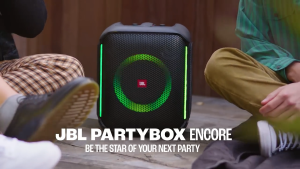
JBL Partybox Encore
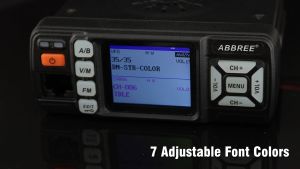
ABBREE AR-318 Mini Vehicle Mount Car Radio Station 128CH 10km 25W Dual Band VHF/UHF Mobile Radio Transceiver Car Walkie Talkie Upgrade of AR-218
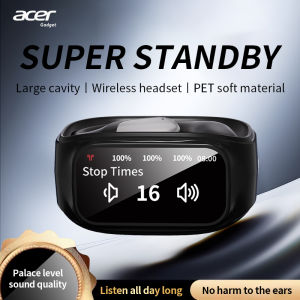
Acer Ohr545 Wireless Bluetooth Headset with Ear-Hook Design Digital Display Screen Charging Case Call Noise Reduction Dolby Sound Comfortable to Wear Suitable for Sports Running and Cycling
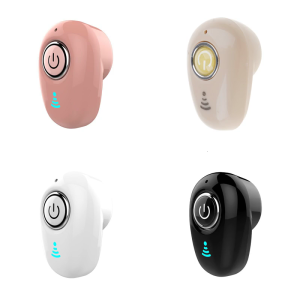
Upgraded Wireless Earphone Semi In Ear Earbud BLE5.1 Easy Connection Low Latency for Music Lovers and Professionals
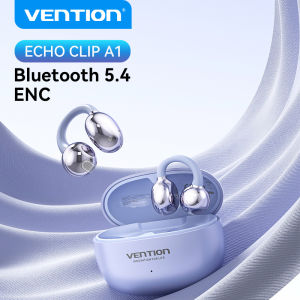
Vention ECHO CLIP A1 Bluetooth 5.4 Open Ear Clip Wireless Earbuds Bluetooth Sports Earphones Headphones in ENC with Earhooks & Ear Hook

Cute Portable Mini Cartoon Wireless Bluetooth 5.0 Speaker with Phone Holder Animal Cute Kids Wiressless Speaker for Smarphone
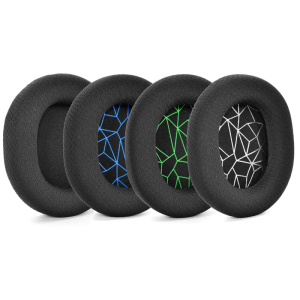
1Pair Earpads Ear Pads Cushion Earmuffs For Arctis 3 5 7 Pro Lossless Headphones High Quality Headset Accessories