



Eyoyo Anyeast Handheld Barcode Scanner: A Comprehensive Guide
Eyoyo Anyeast Handheld Barcode Scanner: A Comprehensive Guide
Introduction to Eyoyo Anyeast Handheld Barcode Scanner
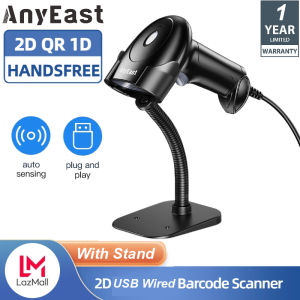
The Eyoyo Anyeast Handheld Barcode Scanner is a versatile and efficient tool designed to meet the needs of businesses in various industries, including warehouses, libraries, and supermarkets. With its plug-and-play functionality, ease of use, and compatibility with multiple operating systems, this barcode scanner offers a seamless integration into your existing inventory management system.
Product Overview
The Eyoyo Anyeast Handheld Barcode Scanner is a USB wired barcode reader that supports both 1D and 2D barcodes. It features automatic screen scanning capabilities and is compatible with Windows XP/7/8/10, Mac OS (connector needed), Linux, and Android systems. The scanner is designed to work with laptops, desktops, PCs, and POS systems, making it an ideal choice for businesses of all sizes.
Key Features
- Plug-and-play functionality
- Compatibility with Windows XP/7/8/10, Mac OS, Linux, and Android systems
- Handheld and handsfree modes with adjustable stand
- Three types of scanning modes: key trigger scanning, auto-sensing scanning, and continuous scanning mode
- Support for 1D and 2D barcodes
- Automatic screen scanning capabilities
Compatibility
The Eyoyo Anyeast Handheld Barcode Scanner is compatible with various POS systems, including Square, iZettle, Shopify, and SumUp, as long as they support the USB keyboard protocol. It can also be used with laptops, desktops, PCs, and POS systems running Windows XP/7/8/10, Mac OS (connector needed), Linux, and Android systems.
How to Use the Eyoyo Anyeast Handheld Barcode Scanner
Using the Eyoyo Anyeast Handheld Barcode Scanner is simple and straightforward. Follow these steps to get started:
Plug & Play Setup
- Connect the scanner to your computer or POS system using the USB cable.
- Power on the scanner.
- Begin scanning barcodes.
No drivers or software installation is required, making the setup process quick and easy.
Switching Between Handheld & Handsfree Modes
The Eyoyo Anyeast Handheld Barcode Scanner allows you to switch between handheld and handsfree modes effortlessly. Simply adjust the stand to the desired position, and you're ready to scan.
Scanning Modes
The scanner supports three types of scanning modes:
- Key trigger scanning: Press the trigger button to initiate scanning.
- Auto-sensing scanning: The scanner automatically detects barcodes within its range.
- Continuous scanning mode: Scan multiple barcodes in quick succession without needing to press the trigger button each time.
Barcode Scanning Capabilities
The Eyoyo Anyeast Handheld Barcode Scanner supports a wide range of 1D and 2D barcodes, including:
Supported 1D Barcodes
- EAN
- UPC
- Code 39
- Code 93
- Code 128
- UCC/EAN 128
- Codabar
- Interleaved 2 of 5
- ITF-6
- ITF-14
- ISBN
- ISSN
- GS1 Databar
- Code 11
- Industrial 25
- Standard 25
- Plessey
- Matrix 2 of 5
Supported 2D Barcodes
- QR Code
- Data Matrix
- PDF417
- Aztec
- Maxicode
Automatic Screen Scanning
The Eyoyo Anyeast Handheld Barcode Scanner features automatic screen scanning capabilities, allowing you to scan barcodes from digital sources such as screens, tablets, and smartphones.
Pairing with POS Systems
To pair the Eyoyo Anyeast Handheld Barcode Scanner with POS systems, ensure that the system supports the USB keyboard protocol. The scanner is compatible with Square, iZettle, Shopify, and SumUp, provided they support the USB keyboard protocol.
Additional Tips & Best Practices
To maximize the efficiency and effectiveness of the Eyoyo Anyeast Handheld Barcode Scanner, consider the following tips:
- Keep the scanner clean and free of debris to ensure optimal performance.
- Store the scanner in a safe place when not in use to prevent damage.
- Regularly update the firmware to maintain compatibility with your operating system and POS system.
- Familiarize yourself with the different scanning modes to choose the most suitable option for your specific needs.

Eyoyo Barcode
You May Also Like
All U Want - CUYI Eco Solvent Ink Cleaning Solution - 1000ml
GM67 1D 2D USB UART Barcode Scanner Qr Code Scanner Module Reader
Metal Heat Insert Press Jigs For 3D Printer Assembly Manual Brass Knurled Nut Installation System
Dcp-L2540DW DR2355 Drumkit+tn2380 /OPC DRUM For Use in Brother
Epson L3110 L3150 L3156 L3158 Unlimited Resetter
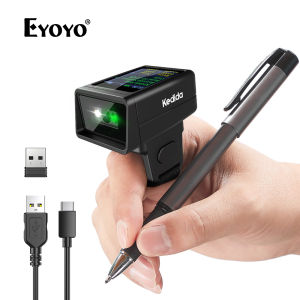
Kedida 2D Wireless Ring Barcode Scanner with Display Screen 1D 2D QR Bluetooth Barcode Reader Portable Wearable Mini Finger Bar Code Reader with Bluetooth & 2.4GHz Wireless & USB Wired Connection

44\"x18m Inkjet Matte Surface Cotton and Polyester Blend Stretchable Inkjet Canvas Roll for Inkjet Printer
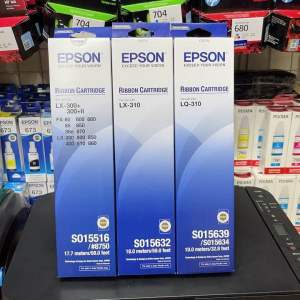
Genuine Original Ribbon Ink Cartridge for LX310/LQ310/LX300+
PSD - Refill Ink 003 For Epson L-Series 70ML EP L1210 L1250 L3210 L3216 L3250 L3256 L5290 L1110 L3110 L3116 L3150 L3156 L5190
GI71 GI 71 GI-71 Premium Color Compatible Bulk Bottle Water Based Refill Dtg Eco Ink for Canon PIXMA G2020 G3020 G3060
Polymaker Panchroma PolyTerra Matte PLA Filament (1.75mm & 2.85mm Eco-Friendly 3D Printing Filament)
![[COD] WHPHous Ship within 24 hours Universal Ink Bottle For Printer L3110 L4160 L6190 L3150 ET-8550 L8160 L8180 L8050 101 103 105 502 522 544 T552](https://img.lazcdn.com/g/p/735e0af84d73f443e55ec2eb777df071.jpg_300x300q80.jpg)


















