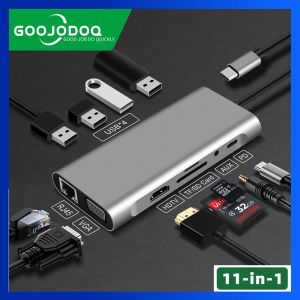
GOOJODOQ USB Type C Hub 11 In 1 RJ 45 Connector VGA Cable Display Port To HDMI 4K Lan Ethernet HDTV PD TF Card SD Card AUX 3.5mm
GOOJODOQ USB Type C Hub 11 In 1 RJ 45 Connector VGA Cable Display Port To HDMI 4K Lan Ethernet HDTV PD TF Card SD Card AUX 3.5mm
Introduction to the GOOJODOQ USB Type C Hub
The GOOJODOQ USB Type C Hub is a versatile peripheral device designed to provide a seamless experience for users looking to expand their connectivity options. This 11-in-1 hub features a range of ports, including VGA cable display port, HDMI 4K, LAN Ethernet, HDTV support, TF card, SD card, and AUX ports. With its compact design and easy-to-use interface, the GOOJODOQ USB Type C Hub is perfect for both personal and professional use.
Key Features & Benefits
The GOOJODOQ USB Type C Hub offers a wide range of benefits, including:
- Versatility: With 11 different ports, this hub allows you to connect various devices and peripherals, making it a valuable addition to any workspace.
- Compatibility: The hub is compatible with a variety of devices, including laptops, tablets, and smartphones, ensuring that it can meet the needs of most users.
- High-quality performance: The hub supports high-resolution displays up to 4K, providing a smooth and seamless viewing experience.
- Ease of use: The hub's simple design and intuitive interface make it easy to set up and use, even for those who are not tech-savvy.
Compatibility & Connectivity
The GOOJODOQ USB Type C Hub is compatible with a wide range of devices, including Windows and Mac operating systems. It supports USB 3.0, allowing for fast data transfer rates. The hub also includes a built-in power delivery feature, which can charge your device while connected.
Setting Up Your GOOJODOQ USB Type C Hub
Setting up your GOOJODOQ USB Type C Hub is a straightforward process. Here are some steps to help you get started:
Connecting VGA Cable Display Port to HDMI 4K
To connect your VGA cable display port to HDMI 4K, simply plug the VGA cable into the appropriate port on the hub and connect the other end to your monitor or projector. Then, connect the HDMI cable to the hub and your TV or monitor. Finally, ensure that your device is connected to the hub via USB Type C cable.
Integrating LAN Ethernet & HDTV Support
To integrate LAN Ethernet and HDTV support, connect the Ethernet cable to the hub and your router or modem. Next, plug in your TV or monitor using the HDMI cable. Your device should now be able to access the internet and display content on your TV or monitor.
Using TF Card, SD Card & AUX Ports
The GOOJODOQ USB Type C Hub includes ports for TF card, SD card, and AUX. To use these ports, simply insert your card or plug in your AUX cable into the appropriate port on the hub. Your device should automatically detect the new connection and allow you to access your files or play audio.
Maximizing Your GOOJODOQ USB Type C Hub Experience
Now that you have set up your GOOJODOQ USB Type C Hub, here are some tips to help you get the most out of it:
Optimizing Performance & Troubleshooting Tips
To optimize performance, ensure that your device is running the latest software updates and drivers. If you encounter any issues, try restarting your device and the hub. Additionally, check that all cables are securely connected and that the hub is properly powered.
Exploring Advanced Features & Customization Options
The GOOJODOQ USB Type C Hub offers a range of advanced features and customization options. For example, you can adjust the resolution and refresh rate of your display, or customize the layout of your desktop. To access these settings, consult the user manual or online resources provided by the manufacturer.

GOOJODOQ Official Store
You May Also Like
Luckrider High Definition Full Screen Coverage Tempered Glass Film for Oppo Reno8 No Black Edge Mobile Phone Screen Protector

Mitsui Signal Booster and Enhancer - Improves cellphone signal failure in ships elevator cars buildings tunnels mountains and other remote places.
Hinge Protection Transparent Shockproof Phone Case For Samsung Galaxy Z Fold 7 Fold7 5G 2025 Clear Hard PC Protective Back Cover
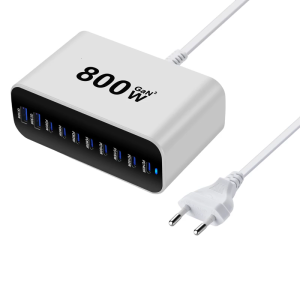
Various Device 800W Compatible Powerful 10 Port Charging Device Metal Texture for Phones and Laptops
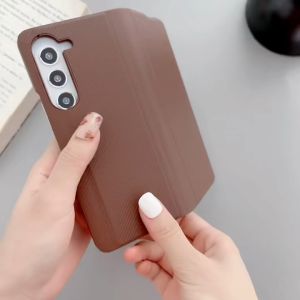
Samsung ZFold 6 Skin Matte Carbon Fiber Folding Shockproof Protect Hard Cover ZFold 6
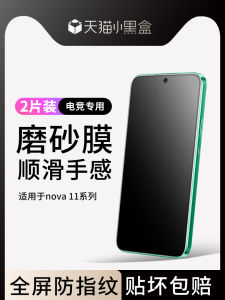
Applicable to Huawei Nova11 Tempered Film Frosted Nova11se Mobile Phone Film Full Screen Cover Nove10z Blue Light HD Novo10se Anti-Fingerprint Full-Covered Nowa10 Youth Version Protective Film
![for iPhone 17 Pro Max Clear Case [Flexible TPU] [Full Coverage Camera Protection] Ultra Thin Lightweight Protective Case Cover for iPhone 17 Air 16 Pro Max 16E 15 Plus 14 Pro 13 12](https://img.lazcdn.com/g/ff/kf/Sab225f8417f74eceb913f9177fc0c2f3k.jpg_300x300q80.jpg)
for iPhone 17 Pro Max Clear Case [Flexible TPU] [Full Coverage Camera Protection] Ultra Thin Lightweight Protective Case Cover for iPhone 17 Air 16 Pro Max 16E 15 Plus 14 Pro 13 12
KUKU Mini car charger charging head usb super fast charging car charger car charging CAMUDY
Case for Oppo Reno 8 5G & Oppo ren8 Pro 5G: A Comprehensive Guide
Premium Silicone Protective Case for AirPods4 Pro3 Wireless Bluetooth Earphones with Branch Design And Hook Anti-Fall Protection
🔥🔥🔥qnljgv RJ-45 Arrester Adapter Ethernet Surge Protector Network Protect Tool